
Why use Claude Code to build a website
The site you're reading right now, jessem.fr, was built entirely with Claude Code. From the first line of HTML to the production deployment, including the design system, the animations and the SEO work. Not a single line was written by hand in a regular code editor.
For a marketing consultant, that's a fundamental shift. Until now, a professional website meant learning web development, outsourcing it or settling for a WordPress or Webflow template. Each option came with tradeoffs: cost, time, technical dependency or creative limits.
Claude Code, the Anthropic tool you run from the terminal, changes that equation. You describe what you want to build, iterate in real time, create files, edit existing code and deploy the whole thing. What you get is a production site: fast, responsive and optimized.
What makes the approach especially interesting for marketers: you keep full control over the content, the design and the architecture. No proprietary builder, no generic template. A custom site built with your vision, your identity and your words. The logic is the same as for my AI prospecting agent: use AI to produce something professional without adding intermediaries.
The tools and plugins you need
Claude Code on its own is already powerful. Paired with the right plugins and resources, it becomes formidable for building websites. These are the tools I use every day.
UI UX Pro Max
This is the plugin that changed the way I work with Claude Code the most. UI UX Pro Max is a set of UI/UX skills and components available on GitHub. In practice, it gives Claude Code a complete design guide: color palettes, typography, spacing, reusable components, interface best practices. It's like hiring an art director who works alongside your AI assistant at all times.
21st.dev
This library of React and UI components serves as a visual reference for Claude Code. When you ask it to create a section, a form or a card, 21st.dev provides modern, well-designed examples for Claude to draw from. The result: interfaces that look like they came out of a design studio.
The Front-end Design plugin
Built right into Claude Code, this plugin helps structure the overall design system of the project. Layouts, grids, animations, transitions: it brings a visual consistency that usually takes hours of CSS work. On jessem.fr, this plugin produced the glassmorphism effects, the scroll animations and the smooth navigation you see on every page.
Magnific (formerly Freepik) for visuals
For supporting visuals (illustrations, icons, backgrounds), I use Magnific, Freepik's new name since April 2026. I cover this tool and others in my article on the 5 AI tools I recommend in 2026.
| Tool | Main function | What it brings to Claude Code |
|---|---|---|
| UI UX Pro Max | UI/UX skills and components | Professional, consistent design |
| 21st.dev | React component library | Modern visual references |
| Front-end Design | Design system and animations | Overall visual consistency |
| Magnific (formerly Freepik) | Visuals and illustrations | Supporting graphic assets |
The method: prepare before you code
Most people skip this step, and it's the one that makes all the difference. Opening Claude Code and asking “build me a website” with no preparation is like walking into a restaurant and saying “bring me something good” without mentioning what you like. You'll get a result, but rarely the one you hoped for.
Think through your content first
Before writing a single line of code, I spent several days defining the visual identity of jessem.fr. The complete design system: colors (midnight blue, gold, shades of gray), typography (Plus Jakarta Sans in all its weights), spacing, component sizes. Every decision was documented. The more context Claude Code has, the more consistent and professional its output.
The editorial guidelines follow the same logic. Tone, phrasing, style rules (no dashes in the copy, no needless jargon, direct sentences). All of this feeds Claude Code and lets it produce content that sounds right and reads like a person wrote it.
Gather as much inspiration as you can
Before building anything, I spent hours browsing Dribbble, Awwwards and Pinterest. The goal: capture screenshots of sites that matched the look I was going for. Dark, elegant interfaces, bold typography, subtle animations.
Claude Code can analyze images. You can show it a screenshot and say “I want this mood, this structure, this spacing.” That's far more effective than trying to put a design you have in mind into words. A visual gets the point across faster.
My routine never changes: I spot something on Dribbble, take a screenshot and paste it into Claude Code with what I want to keep from it. When I'm missing a specific component or animation, I pick a reference from 21st.dev and show it the same way.
This toolkit has 2 more resources. DESIGN.md publishes the design systems of real brands (colors, typography, spacing) in a format Claude can read directly: ideal for studying how major brands structure their identity, or for giving yours a solid foundation. Aura generates design directions with AI, a good visual starting point to show Claude Code afterwards.
Work with copy and paste
This advice may surprise you, but it's essential: don't try to describe everything from scratch. When you find a piece of code that works well, a polished CSS animation or a clean HTML component, paste it into Claude Code. Tell it “adapt this to my design system” or “use this structure to build the next section.” Claude Code excels at adapting and iterating. Giving it a concrete base works much better than asking it to invent something from nothing.
With Claude Code, the skill that counts is knowing what you want. The clearer your vision, the more impressive the result.
Project architecture and CLAUDE.md
A professional website also depends on what visitors never see. File organization, folder structure, naming logic: all of this determines how maintainable the project stays over time. And Claude Code works much better on well-prepared ground.
Organize your folders from day one
For jessem.fr, I defined the full folder tree before writing the first file. Styles in assets/css, scripts in assets/js, images in assets/photos, pages in their own folders (blog/, projets/, a-propos/). This early rigor prevents duplicates, broken paths and time lost on refactoring. When Claude Code creates a new file, it knows exactly where to put it.
The CLAUDE.md file: your permanent brief
This is probably the most important tip in this article. The CLAUDE.md file, placed at the root of the project, acts as a permanent brief for Claude Code. It reads the file automatically at the start of every session. I recorded the complete design system in it, along with the naming conventions, style rules, reusable components, colors and spacing.
The gain in consistency is spectacular. On the home page, a blog post or the projects page, Claude Code applies the same rules, the same components and the same standards. It's like having a living brand guide that applies itself to everything you produce.
The more complete your CLAUDE.md, the more autonomous and reliable Claude Code becomes. It's an upfront investment that pays off with every new page. If you're starting your first AI integration project, the same document-first logic applies.
To make this concrete, here is a translated excerpt from the actual CLAUDE.md of jessem.fr, the one that runs the site you're reading:
# CLAUDE.md: jessem.fr site

## Visual conventions
- Sharp corners on content blocks, hairline borders.
  Radius only exists on buttons and pills.
- Gold corner-plus crosses in the corners of cards.
- Fonts: Plus Jakarta Sans, gold accents via em.
- No emoji anywhere on the site: SVG and icons instead.

## Required workflow
1. Read the relevant file before any change.
2. Reuse existing components and styles.
3. Push every change to the staging branch.
4. Production: only after explicit approval.
An architecture that replaces prompts
Most guides on the subject hand you lists of prompts to copy. I built the opposite: a system where the prompt becomes unnecessary. CLAUDE.md carries the context, skills (reusable instructions that Claude Code loads on its own at the right moment) carry the repetitive know-how, and the folder tree carries the project logic.
Result: a one-line instruction is enough. “Create the contact page” produces a complete page in the design system, with the right navigation, the right footer and the right tone, because everything else is already written down somewhere. When the context is well built, you no longer need a prompt library.
That's exactly what my public Claude Code starter captures: a repository to fork with the template CLAUDE.md, the skills and the deployment workflow already in place. You skip the blank page and start from a proven architecture.
Build a website with Claude without coding: what it really takes
The promise of building a site with Claude without coding holds, as long as you know what it means. You'll read code without having to write it. You'll approve diffs, understand how a project is structured and learn to write a precise instruction. The work happens in a technical conversation with an assistant that writes the code for you. If the tool is brand new to you, my guide to learning Claude maps out the path, from the first settings to working on your own.
Unlike WordPress or Webflow, there's no theme, no admin panel and no proprietary plugin. The result belongs entirely to you, file by file. I compare the 2 approaches in detail in the next section.
Want to build your online presence with AI?
The course to get started with Claude: 5 videos, 6 skills to copy, 20 prompts and 20 annotated AI tools. 100% free.
Get the free courseThe course videos and emails are in French.
Claude Code vs WordPress vs Webflow vs Lovable
The question comes up in every workshop: why Claude Code over a traditional CMS or an AI site builder? My answer, tool by tool.
Compared with WordPress and Webflow
WordPress is still the go-to CMS, with thousands of themes and plugins. It also comes with a database, constant security updates and an admin layer that ends up constraining the design. Webflow offers more visual freedom, in exchange for a monthly subscription and a site that stays hosted on their platform.
A site generated with Claude Code is just a set of static HTML, CSS and JS files. With no CMS, security updates go away, and page speed benefits automatically. We actually went the other way with n2.help: the site ran on WordPress, and we converted it to static files to manage it with Claude (more on that below).
Compared with Lovable and other AI site builders
AI site builders like Lovable, Bolt.new or Vercel's v0 produce a complete React app in a few minutes. For prototyping an idea, they're very effective. The tradeoff: you inherit a tech stack chosen for you (React, Supabase, Vercel), an extra subscription and a framework project to maintain if you export the code.
For a brochure site or a content site, that's overkill. Claude Code produces simple files that you own and host wherever you like, for the cost of your Claude subscription alone. And it works within your design system, the one you defined upfront.
| Solution | What you get | What to watch out for |
|---|---|---|
| WordPress | A complete CMS with themes and plugins | Updates and security to manage continuously |
| Webflow | A powerful visual builder | A subscription for the life of the site, design tied to the platform |
| Lovable, Bolt, v0 | A React app generated in minutes | Stack chosen for you, framework code to maintain |
| Claude Code | Custom static files that belong to you | A terminal and a learning curve |
Going live and what it really costs
Building a site is one thing. Getting it online and keeping it running is another. For a marketer who has never dealt with web hosting, this step can feel intimidating. In practice, with the right tools, it's simpler than it looks.
Version your code with GitHub
GitHub is a vault for your code. Every change is recorded, dated and reversible. If you break something (and it happens, even with Claude Code), you can always roll back. For jessem.fr, every update goes through GitHub. That's also what lets you work with peace of mind: you know nothing is ever lost.
GitHub Actions for automatic deployment
The real convenience is automatic deployment. With GitHub Actions, every time you push a change to the main branch, the site updates itself. No manual FTP transfer, no technical fiddling. You push, and a few seconds later the new version is live. That's exactly the setup I use for jessem.fr, and the one I locked into my public Claude Code starter to reuse on every new project.
Claude Code even makes this part easier. It can create the GitHub Actions configuration files, set up the deployment workflows and fix errors when they come up. Everything stays in the terminal and runs smoothly.
Choose your hosting
jessem.fr runs on OVH shared hosting at a few euros a month: more than enough for a static site, with the domain name and email addresses managed in the same place. Infomaniak and o2switch are in the same league if European hosting matters to you.
Vercel and Netlify offer a free alternative that plugs straight into GitHub: every push triggers the deployment, with no server configuration. It's the fastest route for a first project.
The deciding factor: a static site can be hosted anywhere. Switching hosts means moving a folder, with no database migration and no platform dependency.
The full budget
The Claude subscription is the main expense: about €100 a month for Claude Max while you build. Once the site is live, you can drop down to a cheaper plan, since maintenance is far less intensive.
The rest fits on one line: €3 to €5 a month for shared hosting, about €10 a year for the domain name. The total is nowhere near the cost of an agency-built site, and every file of the result belongs to you.
Keeping the site alive after launch
A site that never changes slowly fades from search results. Almost every guide glosses over this point, and it's exactly where this method shows its full value.
Every change is requested in plain language. “Update the price on the offer page,” “add a question to the FAQ,” “publish this article”: Claude Code edits the files, I review the diff, I push, and it's live 2 minutes later. jessem.fr changes several times a week at this pace, articles included.
Git is a permanent safety net. Every version of the site is kept: a regression is fixed by going back to the previous commit, in a single command.
The deployment workflow also automates the repetitive part of SEO. On jessem.fr, the sitemap updates itself and changed pages are submitted to search engines through IndexNow with every production release, without me giving it a thought.
And since there's no CMS and no plugins, security updates are no longer an issue. A static site that's online stays online, even if you go 6 months without a Claude subscription.
Improving the site over time: technical SEO and content
Once the site is live, SEO becomes an improvement loop. This loop works like the rest of the method: a tool measures, you copy and paste the findings into Claude Code, and it fixes them.
Lighthouse: a technical audit in one copy and paste
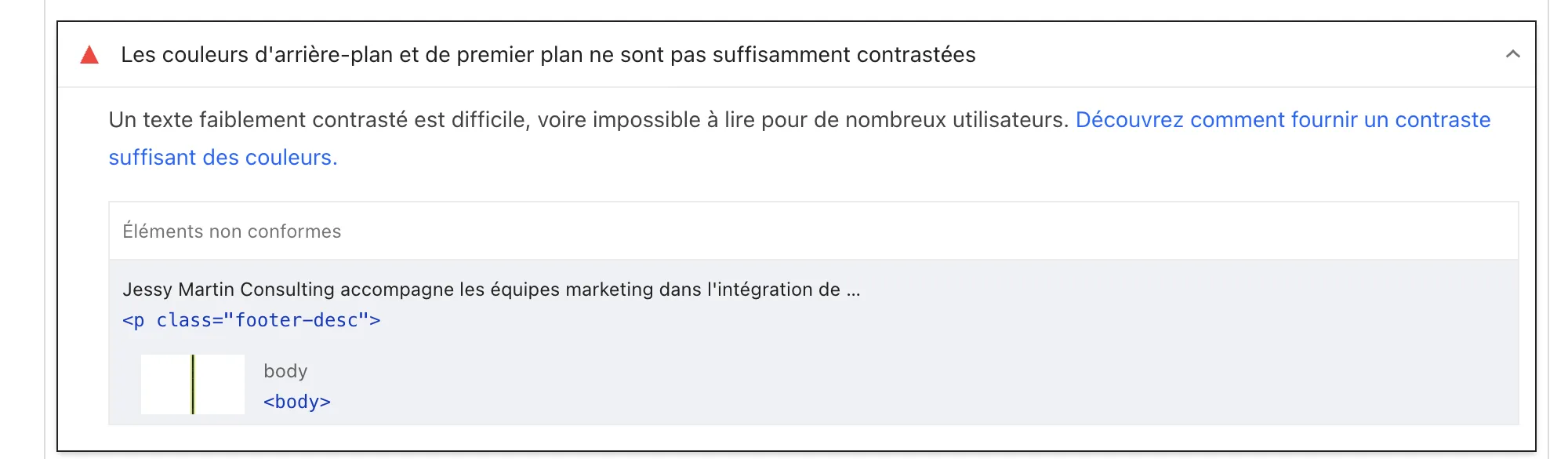
Lighthouse, the audit tool built into Chrome, scores each page on performance, accessibility, best practices and SEO. You don't need to understand every technical point: select the issues it flags, paste them into Claude Code and ask it to fix them. Oversized images, insufficient contrast: it works through the list, you review the diff, you push.

A real example from writing this article: the audit flagged insufficient contrast on the footer text. I pasted the finding as is into Claude Code, it adjusted the color in the CSS, and the fix went live right away.
Search Console: content driven by real queries
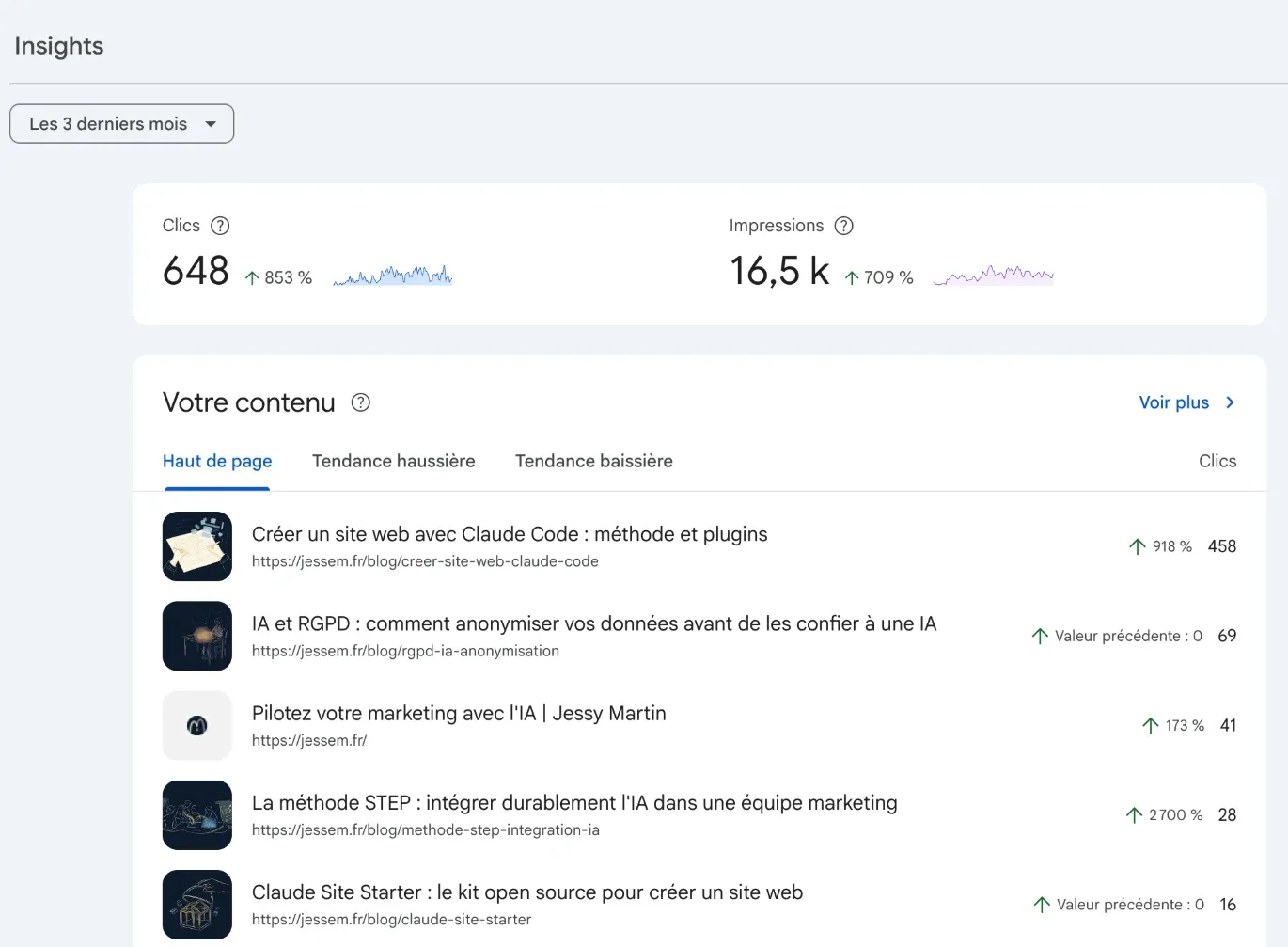
Search Console shows the queries for which Google displays your pages, with clicks and positions. It's your content radar: a rising query deserves its own section, and a page stuck on page 2 deserves more depth. Here too, copying and pasting the data into Claude Code is enough for it to suggest adjustments.
The claude-seo plugin to scale it up
To go beyond manual audits, I use claude-seo, an open source plugin for Claude Code. It adds 32 specialized commands: /seo audit for a full site audit, /seo page for a single page, /seo schema for structured data, /seo geo for AI answer optimization. It's the plugin that runs on jessem.fr for every SEO project.
It installs in 2 commands from the Claude Code plugin marketplace. Once it's in place, your assistant knows SEO standards and already lives inside your site: a combination even an agency can't offer you.
Limits and precautions to know about
They exist, and I'd rather point them out myself.
Complex e-commerce and member areas are beyond the scope of this method. A product catalog, payments, user accounts: Claude Code can handle them, but at that point you're building a real application, with a different level of technical and security requirements.
Review what Claude produces. Changes are displayed like a document with tracked changes: get into the habit of reading them before approving, especially on the pages that convert. The AI executes, and you remain responsible for the result.
Keep your secrets out of the code. API keys and passwords live in environment variables or in GitHub secrets, never in a committed file. Claude Code follows this rule if your CLAUDE.md requires it.
Plan for a learning curve in the first week. The terminal is disorienting at first, then becomes second nature. What I learned setting up a development environment with Claude Code will save you that time.
3 real sites built with this method
Talking about a method is easy. Showing it in production is harder. Here are 3 sites created or managed with Claude, with the real timelines.
jessem.fr: the site you're on
About 10 pages, a blog with audio podcasts, scroll animations, a fully responsive design. Built in 2 to 4 weeks alongside my advisory work, and expanded every week since. It's the permanent testing ground for the method: every improvement to the system goes here first.
qiplim.com: a full redesign in 3 days
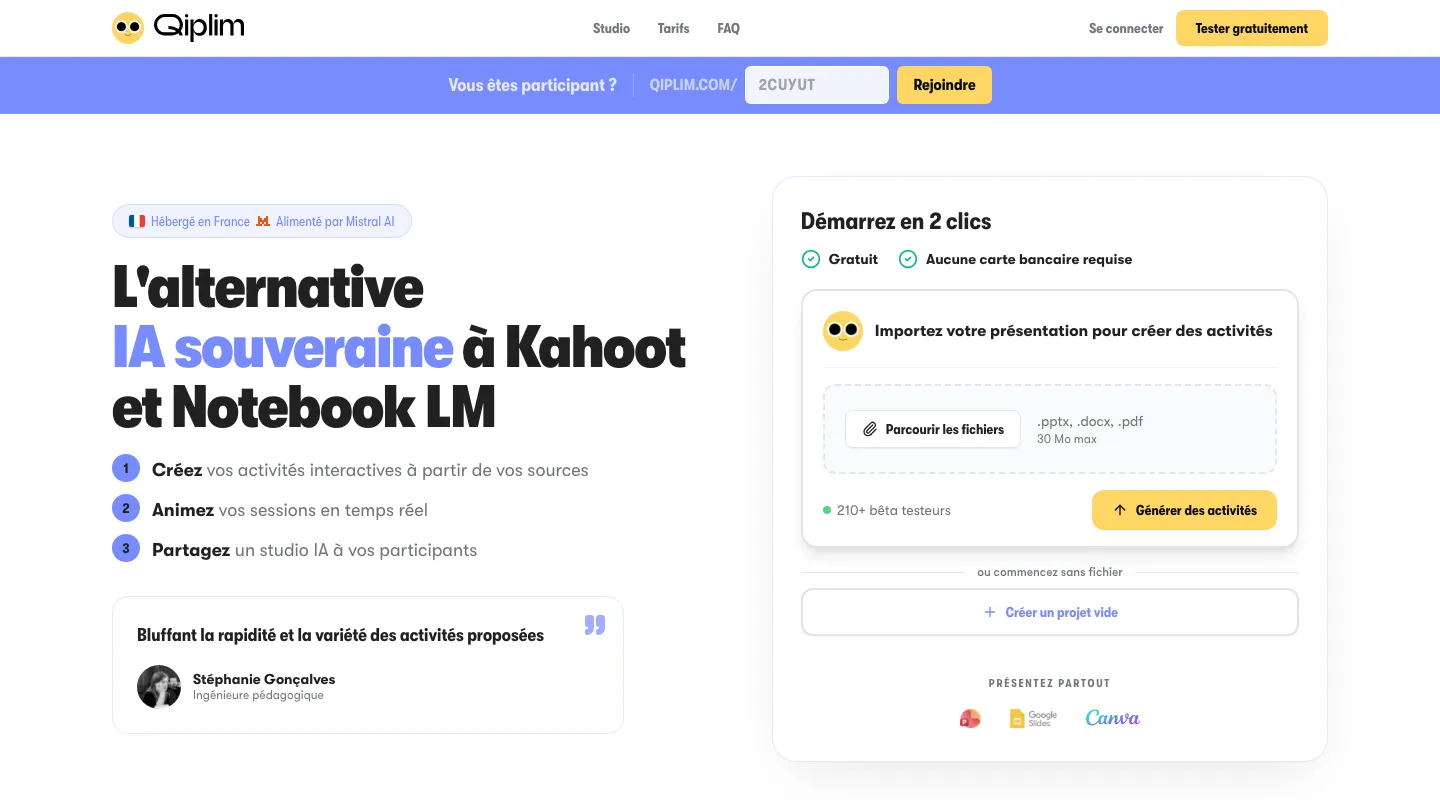
Qiplim, the French alternative to Kahoot that I co-founded, needed a complete redesign of its website for its public launch. I did it alone in 3 days, from scoping to production release, with the same GitHub workflow and a Lighthouse performance score of 100. The full walkthrough is on the Qiplim redesign project page.
n2.help: leaving WordPress for the same system
A different case: the firm N2 Help & Solutions already had a website, custom-built on WordPress. We removed WordPress and converted the site to static files managed with Claude, with the same Git workflow. Since then, both the projects page with its case studies and the ServiceNow 2026 report, an interactive study of 136 consultants in 20 countries, have been produced entirely with Claude.
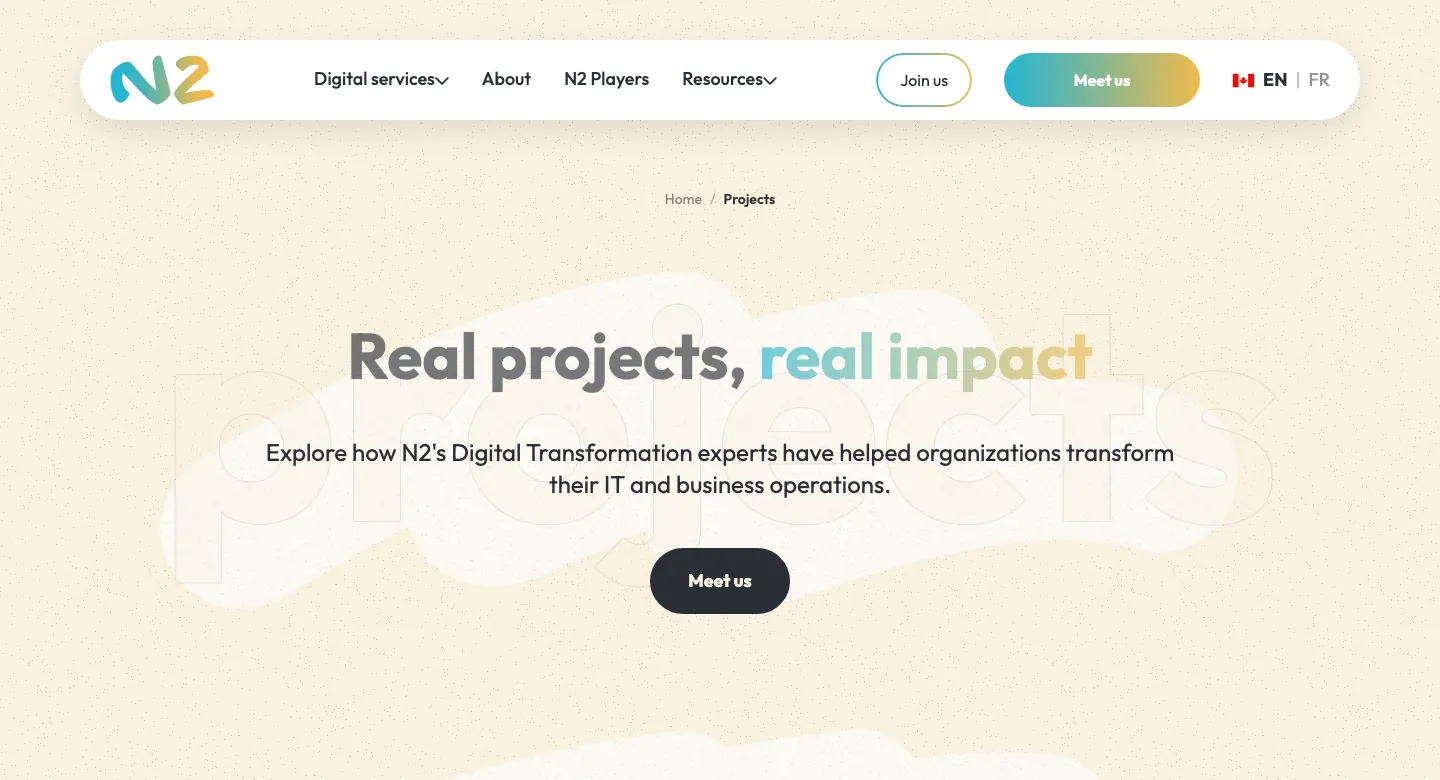
A new site, an express redesign, a migration away from a CMS: 3 different contexts, and the same method holds up in all 3.
Conclusion
With the right method and the right plugins, Claude Code lets a marketer build a complete professional website. Jessem.fr, qiplim.com and n2.help are concrete proof, in 3 different contexts.
The key, and the central message of this article, is to put your time into preparation. The visual identity, the content, the project architecture, the CLAUDE.md file: that's where the quality of the final result is decided. Claude Code takes care of the code. Your added value is the vision, the strategy and the high standards you put into the brief.
If you're thinking about building your own site or rethinking your online presence, see my guide to the best AI tools in 2026, or fork my Claude Code starter directly to start from a base that's already configured.