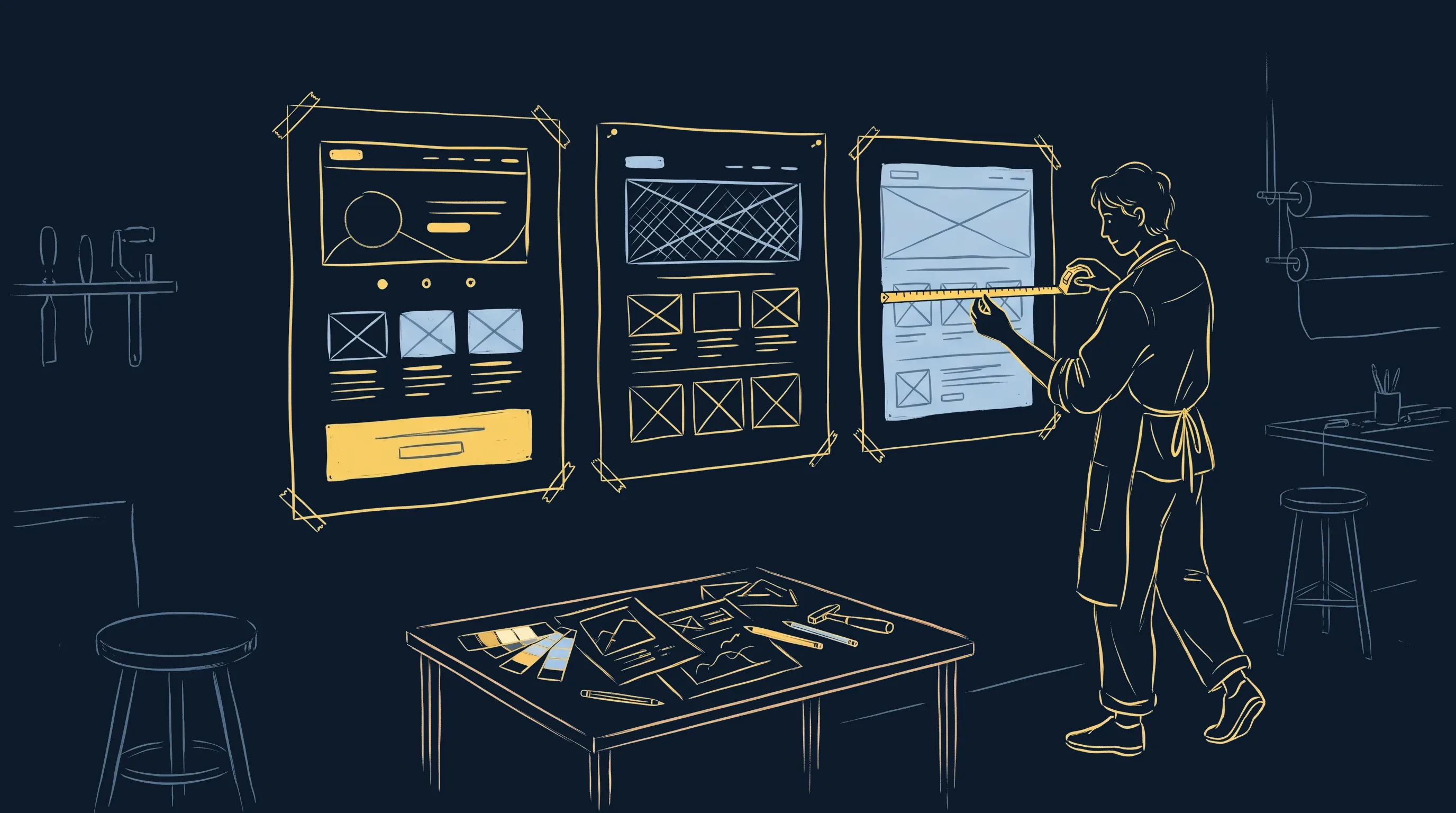
I build my landing pages with Claude Code, for my clients and for jessem.fr. After fixing the same flaws over and over, I wrote the rules down. Then I turned them into a plugin so other people could use them on their own brand.
It's called Atelier web, and it went public this week.
Why a landing page built with Claude Code looks like every other one
Claude Code builds a landing page in ten minutes. I see it in every training session: the first page comes out fast, and it always has the same face.
A purple gradient. Stacked white cards. A default font. A "300+ happy clients" nobody ever supplied. And a call-to-action button that drops below the fold as soon as you open the page on a phone.
The model does what you ask. With no context, it picks the most likely answer, and the most likely answer looks like every other generated page.
It's missing what a designer asks for on day one: the brand guidelines, the tone, the proof you're allowed to show, the sections that already exist on the site. And what a careful developer does on the last day: look at the render on a real screen before calling it done.
What Atelier web does
The plugin packages the method I use to build my clients' landing pages. I extracted it from my marketing department template for Claude Code, then decoupled it so it runs in any website folder.
The brand doctrine comes first
On first run, /atelier-web:demarrer-projet-web reads your site and your content, then drafts your brand doctrine: exact colors, fonts, voice, allowed proof points, site components. You approve it block by block, and it's written to atelier/marque/, in your own project.
Every skill reads it before producing anything. If it's missing, they stop.
And a number with no source doesn't exist. When a testimonial or a result is missing, the page shows the gap, marked [À FOURNIR : …] ("to be supplied"), and Claude flags it to you.
A landing page built in eight phases
The landing-page skill runs an eight-phase playbook, and no phase gets skipped. Scoping happens in a single round of questions, each with the option I recommend. Meanwhile, an agent looks for visual references: pages that convert for the same kind of offer, galleries, animated components.
Claude then offers two or three directions, each named after its signature object ("the ticket page", "the map page"). You pick one.
The hero gets built and approved first, because a weak hero drags the whole page down. Then the sections are built in parallel, one agent per section, each owning its own files.
Four reviews before you see the page
Four agents review the page, each with its own focus: design, brand, conversion, accessibility (WCAG 2.2 AA). Their comments are settled in a single round of fixes. Without that arbitration, two reviewers who contradict each other keep the page going in circles.
QA that measures the render
The qa-landing.py script measures what the eye misses on the fourth read: horizontal overflow, contrast, text sizes, a button visible without scrolling on mobile, background continuity between sections, reduced-motion support. At three screen sizes.
A hook also runs the brand check after every page Claude writes, including pages assembled by a script. The page reaches you once it has passed all of that.
The GitHub repository in one click
Public, MIT license, documentation in English and French. Install it, adapt it, use it for your clients.
View on GitHubOne factory and three brands
A landing page plugin has an obvious trap: building the same page every time with different colors. To check, I ran it on three fictional brands with three different doctrines. Same commands, three pages.
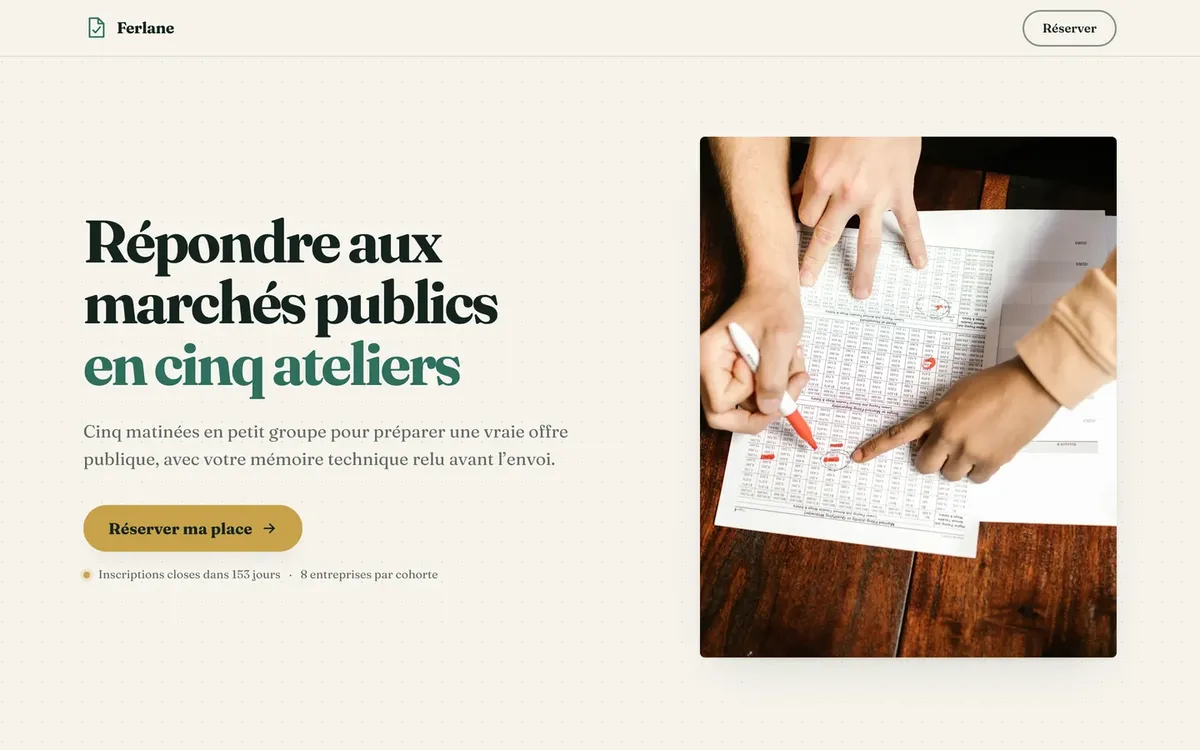
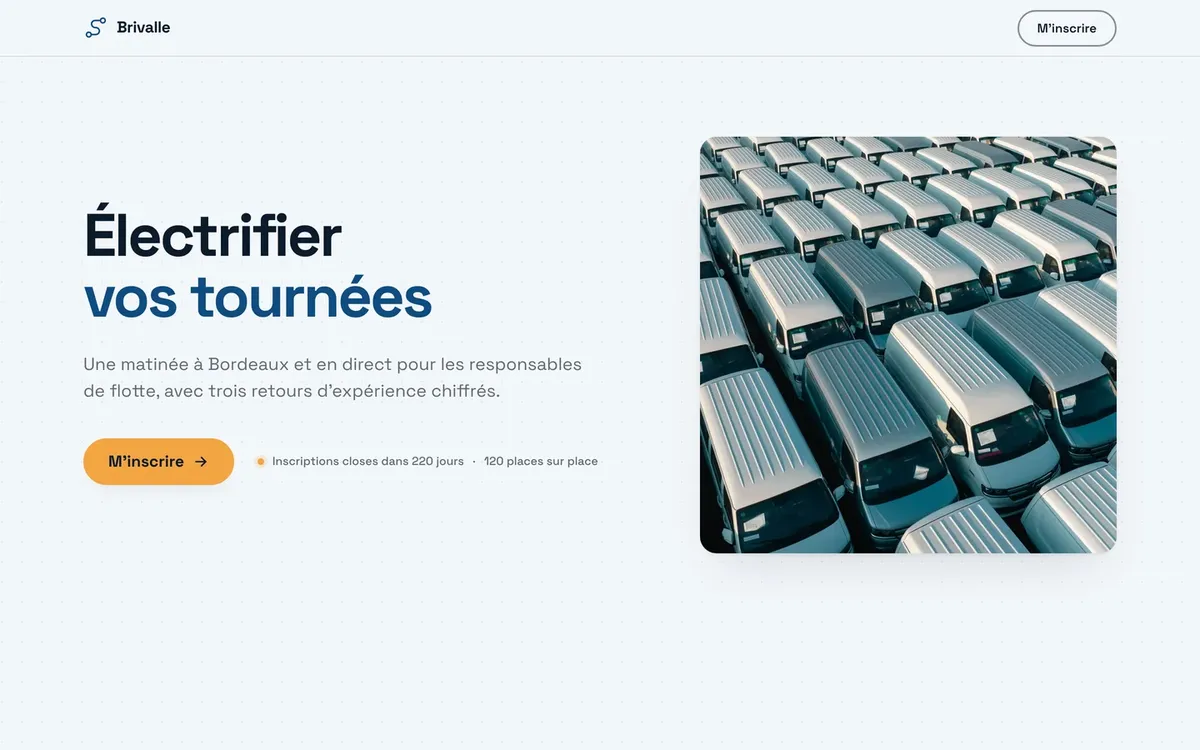
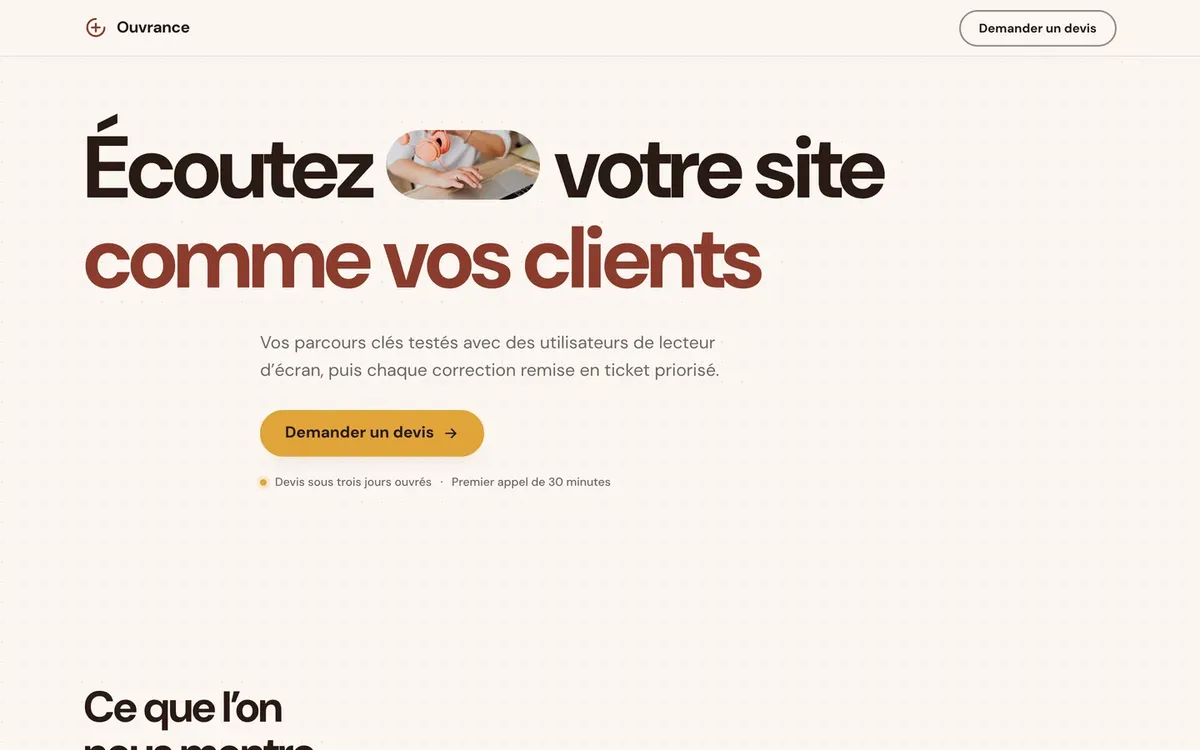
The pages are in French, and the photos come from Pexels, standing in for the ones a real brand would supply. You can browse all 44 sections in the live catalog.
Install the Atelier web plugin with two commands
You need Claude Code (the desktop app or the terminal) and Python 3.11 or later. In a terminal:
claude plugin marketplace add Littlpinguin/atelier-web
claude plugin install atelier-web@atelier-web
Restart Claude Code. For rendering QA, add Playwright and Pillow once:
pip install playwright pillow pyyaml && playwright install chromiumThen three steps:
- Open Claude Code in your website's folder.
- Run
/atelier-web:demarrer-projet-web: Claude drafts your brand doctrine and has you approve it. - Run
/atelier-web:landing-pagefor a landing page,/atelier-web:page-webfor a page or a section on an existing site, or/atelier-web:designto modernize a site that looks dated.
For a team, the repository's settings-projet.json file goes into the project's .claude/settings.json. Commit it, and everyone who opens the folder gets the plugin.
What's in the plugin
| Family | Skills | What they do |
|---|---|---|
| Start | demarrer-projet-web |
Write the project doctrine and route to the right skill |
| Build a page | landing-page, page-web, lead-magnet |
An eight-phase landing page, a page on an existing site, a tool or guide in exchange for an email |
| Design | design |
Visual research, named directions, a protocol against the generated look, redesign, design tokens |
| Motion | motion |
Native CSS scroll-driven animations first, GSAP for pinning, anime.js, dotLottie |
| Conversion | cro |
Pages, forms, popups, pricing |
| Copy | ecriture |
Write, review in seven passes, humanize text that sounds generated |
| Quality | revue, brand-check |
Measured rendering, interface, accessibility, brand compliance |
The 6 agents: inspiration-researcher for visual research, landing-section-builder to build one section each, and four reviewers (design, brand, conversion, accessibility).
The factory: 44 sections (hero, proof, program, offer, FAQ, comparison and more), 6 landing page templates (training, event, service, B2B demo, long-form sales, lead capture) and 10 interactive lead magnets, including an ROI calculator and a quiz.
The plugin also ships a claude plugin eval suite. It checks that each request triggers the right skill, and that neighboring requests trigger none.
Atelier web or Claude Design: which one to pick?
Since September, Claude Design also runs inside Claude Code. Add frontend-design and UI/UX Pro Max, and you have four tools for what looks like the same need. They complement each other, and I use them together.
| Tool | What it brings | When to pick it |
|---|---|---|
| Claude Design (Anthropic) | A design canvas inside Claude that follows the design system you import from GitHub or your files, and exports to HTML, PDF or PPTX | Mock up fast, get feedback on a prototype |
| frontend-design (Anthropic) | An aesthetic direction decided before any code gets written | Give character to any interface |
| UI/UX Pro Max | A database of styles, palettes, font pairings and UX rules | Choose a visual system when the brand has none |
| Atelier web | The full brand doctrine (voice and proof included), an end-to-end landing page method, 44 sections, four reviews and measured QA | Ship a page that has to convert and fit into an existing site |
Atelier web includes adapted parts of frontend-design and UI/UX Pro Max, credited to their authors, and its install script sets up all three side by side. As for Claude Design, the standalone version at claude.ai/design closes on December 14, 2026: the product carries on in conversations and in Claude Code (Anthropic's documentation).
If you're weighing Lovable, Bolt or v0 for a whole site, I compare them in my guide on how to build a website with Claude Code.
The limits of the plugin
- Images are up to you. The plugin reuses your visuals, or calls your project's image tool after stating the cost of each option.
- It outputs self-contained HTML pages. On Next.js, Astro or WordPress, the assembled page works as a faithful mockup, then gets ported to components by hand with the same design tokens.
- The skills are written in French. Claude builds your pages in whatever language you ask for.
- Your offer and your proof come from you. Without real testimonials, numbers or screenshots, the page shows its gaps.
- It eats into your usage limits. A full landing page puts several agents to work in parallel. In my experience, a Claude Max plan is more comfortable than Pro.
Where the plugin comes from
The rules in Atelier web come from real feedback on delivered pages. No label above headings. Backgrounds that flow from one section to the next with no hard cut. Multi-step forms where each step fits on a laptop screen. Screenshots shown whole on screen, with the explanation beside them.
Every piece of feedback, from a client or from my own eye, got written down before it became a rule. That's what makes the method shareable: everyone uses the same method, and each brand stays in its own project.
The plugin complements Claude Site Starter, the static website template I released in April. The starter sets up the site, and Atelier web builds the pages that need to convert.
Train your team to build its own pages
A 1-day course to build a web page with Claude, check it and publish it yourself, with no code and no outside provider.
See the courseOpen sessions run in French. In-house sessions can run in English.