
The finished video is right below. Along the way, 2 traps nearly sank the delivery.
The toolchain step by step
The tools used at each step, with their real cost. Credits are the unit of the Magnific plan, which bundles about 50 image and video models under a single bill.
| Step | Tool | Cost |
|---|---|---|
| Transcription and cutting | whisper.cpp and FFmpeg, run locally | 0 credits |
| Studio set | Nano Banana Pro, through Magnific | 75 credits per image |
| Regenerated shots | Seedance 2, iterations on Dreamina and production through Magnific over MCP | 140 to 700 credits per second |
| Lip sync | veed-sync-2-v2v | 140 credits per second |
| Illustrated b-roll | Recraft V4.1 for the image, Kling 2.5 for the animation | 60 then 140 credits |
| Music | ElevenLabs v2, while Lyria produced the equivalent for 160 | 1,200 credits |
| Editing, color grading, captions, export | Palmier Pro, driven by Claude through its MCP server | 0 credits |
Starting point: a voice track and stills on an invented set
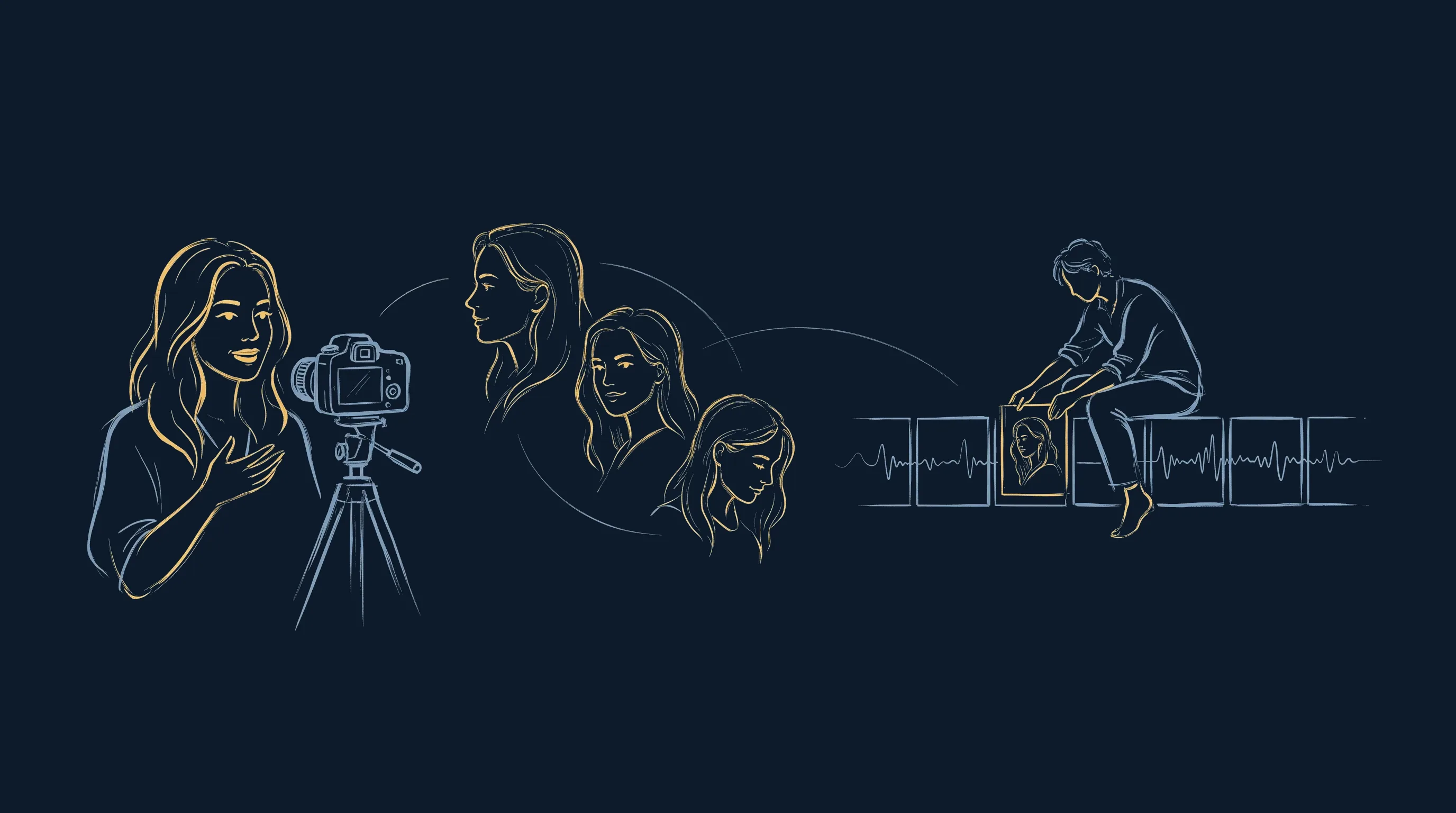
Myriam Allouche, CEO of the HR consulting firm Horizon Humain, sent me a video shot on her phone: a 1-minute direct-to-camera take on employability. White office, daylight, a podcast mic in frame, no B camera. What she says is good, she speaks fast at 209 words per minute, and there's nothing to cut from the text. The problem lies elsewhere: 1 minute of a single static shot doesn't hold up in a vertical feed, where attention drops after 4 seconds without a cut.
The question I wanted to settle was simple. How far can you go if you refuse to reshoot anything? The raw material came down to 3 building blocks. The voice, extracted from the take and transcribed word for word. Stills, pulled at key moments of the talk. And a set that exists nowhere, generated from one of those stills: a dark interview studio, a horizon-green wall, a magenta halo behind the head, a small out-of-focus amber lamp. Everything else was built from there.
The transcription did more work than I expected. With token-level timestamps, it gives word-accurate cut points, karaoke captions and, above all, a signature of the voice that later helped expose the doctored shots.
The first cut uses no generative model at all, just ffmpeg. Pauses are tightened to 0.12 seconds instead of removed, which keeps the delivery natural. A spoken repetition goes, along with the closing aside: the speaker keeps talking for 6 seconds after the punchline, which happens almost every time. The take goes from 68.3 seconds to 54.4 seconds. This version, still without a single new image, becomes the reference for everything that follows.
Regenerating shots with Seedance 2 on Dreamina and Magnific
Pacing needs angles. Only one model in the catalog accepts a video reference and an audio reference at the same time: Seedance 2, from ByteDance, which I use through Dreamina for iterations and through Magnific when I produce via the API. Magnific is connected to Claude directly over MCP, so I can start a generation, fetch the file and measure it without ever leaving the terminal.
These models work on a principle that changes the workflow. They replay the whole scene: the person, her mic, her set and her gestures, all synced to the audio track you provide. Nothing is cut out, so no edge gives the trick away. 3 references go out together on every call: the video for the performance to keep, the audio for lip sync, and the image of the set. This project ran on Seedance 2.0, in its Pro and Mini variants, and Dreamina has since added version 2.5 of the model.
The Mini variant of the model, half the price of Pro, holds onto the subject much better: the mic stays in frame and the framing doesn't widen. But it completely ignores a set described in words and returns a bright room that matches nothing. Give it the set plate as an image reference instead of a description and it picks the set up visually. Subject kept and set held, at half the price. It's the most useful setting I found on this project.
The side angles follow the same logic, with a constraint I hadn't anticipated. Since each generated clip carries the portion of voice it was given, an angle can't be reused elsewhere in the film: placing it over another passage would put the wrong words in her mouth. So I generated one angle per act of the talk, which incidentally makes for a more coherent edit than a B camera jumping from one viewpoint to another every 3 seconds.
What goes into the prompt comes down to a few prohibitions, and without them continuity breaks: the subject doesn't turn toward the new camera, her gaze stays on the original axis (now out of frame), her hands don't move, and she doesn't grab the mic. I always add a requirement for visible skin texture and no smoothing. Otherwise the model returns a face from a skincare ad that clashes with everything else.
Then there's the mouth. The native lip movement of these models isn't enough for a close-up, so it takes a separate sync pass. I tested 4. The 5-credit-per-second engine returns a blurry mouth and truncates the clip. The 320-credit one tops out at 69% of the sharpness of the 140-credit engine, with washed-out reds on top. The right choice cost half as much as the one I had paid for.
With these engines, price doesn't predict quality. The only reliable method is to compare a crop of the mouth area at 3 different moments and measure the sharpness. I spent 4,480 credits to get a worse result than an option at a third of the price.
The edit run by Claude in Palmier Pro
The edit was done in Palmier Pro, a macOS video editor that exposes 46 tools over MCP, the protocol that lets an assistant operate an application. In practice, from the same Claude Code terminal I use to build this site, Claude imports the media, creates the timeline, places the 21 clips to the exact frame, applies the crops, writes the captions, sets the color grade and starts the export. I didn't move a single clip with the mouse.
What I gain is editing by measurement instead of by eye. To match the generated shots with the original ones, I read the ratio between red and green in the midtones, where skin sits: 1.34 on the front shot, 1.62 on the side shots, which leaned copper, brought down to 1.31 after correction. Same method for sound. The voice came out at 18.5 dB below full scale and the music at 22.7, a 4 dB gap where you need about 12. The gains were set from those numbers.
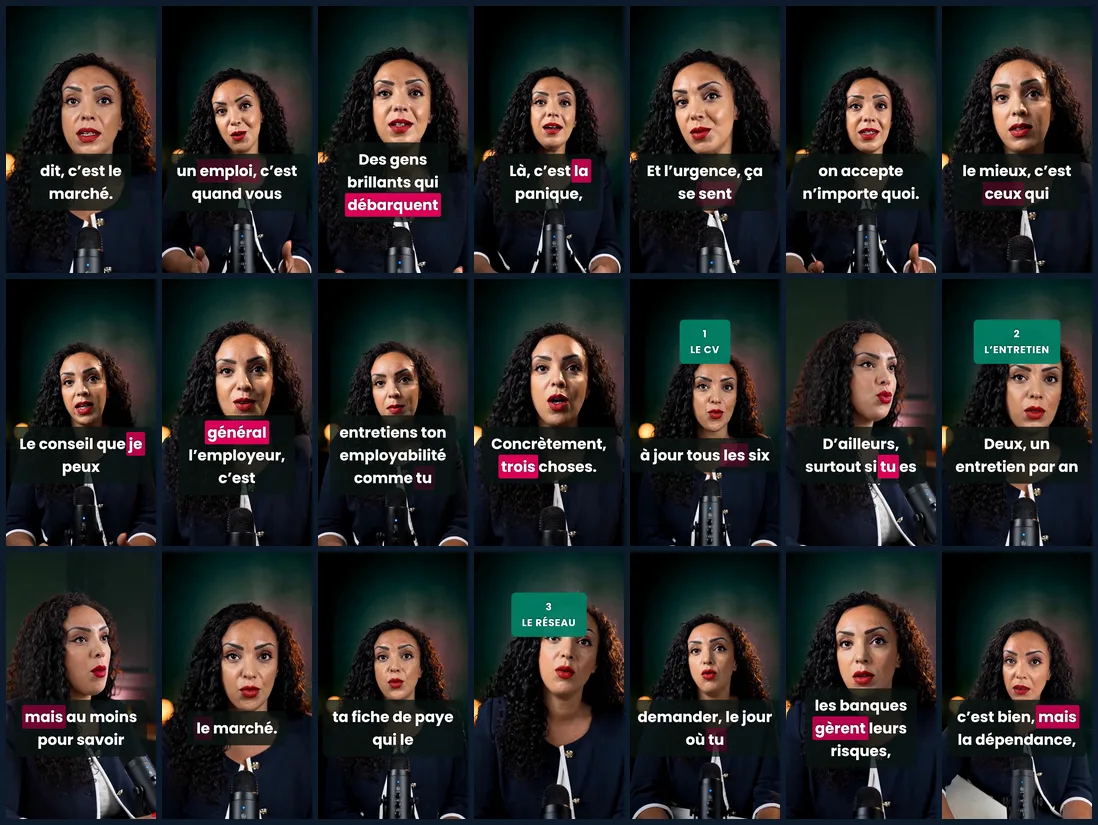
The storyboard is the real budget safeguard. Until it's approved, no credit gets spent, because it's what says what to generate, for how long and at which timecode. It doesn't survive the edit intact, though: the delivered film has 21 shots where the storyboard planned 39, with 2 shot sizes instead of 3 and slow 2 to 4% punch-ins doing the job of the crops.
The illustrated b-roll got lost along the way. 3 inserts were planned, on a light background, and every attempt made them stand out more: in an edit this dark, a white insert breaks continuity. The delivered version has none. The pacing comes from the 2 shot sizes, 2 side angles and the length of the shots, with a median of 2.5 seconds.
The most carefully worked moment of the sound design is a silence. Half a second where the music cuts out completely, on the question that carries the punchline. No hit, no riser, nothing.
New to Claude?
The course to get started with Claude: 5 videos, 6 skills to copy, 20 prompts and 20 AI tools reviewed. 100% free.
Get the free courseThe course videos and emails are in French.
When AI puts words in the speaker's mouth
A model that regenerates a take from a voice can make the person on camera say something other than what they said. Whole sentences get replaced, with perfect lip sync and a voice that sounds like theirs. That discovery alone justifies writing up this case study.
One example from this project landed on the film's hook, the line the viewer hears while scrolling. Where Myriam said “c'est quand vous n'en avez plus” (“it's when you have none left”), the generated shot had her say “vous êtes un jeune diplômé qui débarque sa carrière après décembre” (roughly “you're a young graduate who lands his career after December”). In another passage, “parce que la loyauté, c'est bien” (“because loyalty is good”) became “si le locataire est bien” (“if the tenant is good”). Out of 6 generations, 2 had rewritten what she said. If you watch the clip with your eyes on the picture, you see nothing.
With client content, this risk is of a different kind from the usual flaws of generative AI. A real person ends up saying things they never said, with their own face and their own voice.
The check that solves the problem runs locally, in a few seconds, and costs nothing. I compare the energy envelope of the generated shot's audio with that of the original voice and read the correlation coefficient. Above 0.9, the shot is faithful. Below 0.5, the text has been rewritten. The values I measured leave no room for doubt: 0.983 to 0.993 for the faithful shots, 0.240 and 0.252 for the 2 doctored ones. A shot that's unfaithful overall can still contain correct segments, which the same measurement locates, so you can salvage 2 or 3 seconds of it instead of throwing the file away.
I ran this check once the edit was finished. The result: the timeline was rebuilt entirely on the faithful generations, and 7.5 seconds were left without a valid source. They were first filled with b-roll, then the affected sections were regenerated with half a second of pre-roll for the version you see above. A day of work for a measurement that takes a few seconds. This check is now a mandatory step in my workflow, run on every shot before it goes on the timeline.
The second trap fits in one sentence: when the source is too soft, processing it won't save it. My first setup was to cut the person out and composite her onto the generated set. The matte was clean, stable over 1,635 frames, without a single glitch. I still had to drop this approach after 2 days, because the 576-pixel-wide source, enlarged up to 3.6 times by the crops, stayed soft next to sharp generated shots. 3 rescue attempts failed before I accepted the obvious: regenerating costs less than repairing, and it looks better.
Deepfakes and what the law requires before you publish
What I produced is a deepfake: AI-generated video content that depicts a real person and that a viewer could take for authentic. The word evokes malicious uses, yet the legal classification is the same whatever the intent. A well-meaning brand video and a harmful fake fall under the same rules, and what separates them is consent plus transparency.
Under French law, the key text is Article 226-8 of the Criminal Code (article 226-8 du code pénal). Distributing a montage made with a person's words or image without their consent is punishable by 1 year in prison and a €15,000 fine, raised to 2 years and €45,000 when it's distributed through an online service. The loi SREN of May 21, 2024, the French law on securing and regulating the digital space, extended this article to visual or audio content generated by algorithmic processing, which directly covers the models used here. There is no offense in 2 cases: the person consented, or the artificial nature of the content is expressly stated. Sexual content falls under article 226-8-1, which carries heavier penalties.
On the civil side, Article 9 of the Civil Code (article 9 du code civil) is the legal basis for the right to one's own image, independently of any criminal case. Consent has to cover what is actually done with the image: agreeing to be filmed is one permission, and agreeing to have shots rebuilt that were never filmed is another.
At EU level, Article 50 of the AI Act requires anyone deploying a system that generates a deepfake to disclose that the content was artificially generated or manipulated. This obligation applies from August 2, 2026, as detailed in my article on the AI Act timeline. There is an exception for evidently artistic, satirical or fictional works, where the disclosure must remain compatible with the enjoyment of the work. A corporate communications video doesn't fall into that category.
| Text | What it requires | Applies |
|---|---|---|
| Article 226-8 du code pénal (Criminal Code) | Consent of the person, or explicit disclosure that the content is generated | since May 23, 2024 for algorithmic content |
| Article 226-8-1 du code pénal (Criminal Code) | Stricter ban on sexual content | since May 23, 2024 |
| Article 9 du code civil (Civil Code) | Right to one's image: consent covers the actual use made of the image | in force |
| Article 50 of the EU AI Act | Informing the public that the content is generated or manipulated | August 2, 2026 |
The production rule I take from this comes down to 4 points. The consent of the person on camera is requested in writing before generating, and it explicitly covers recomposing their image and voice. The note “AI-generated video” goes with the publication, in the post caption rather than burned into the media, so it doesn't spoil the first 2 seconds that decide the audience. What's said on screen is checked shot by shot, since an unfaithful clip would put words in someone's mouth they never said. And a shot whose fidelity isn't proven doesn't go out, even if it's touched up in the edit.
Myriam Allouche gave her explicit consent for the video and for this article. It's also a matter of trust: nobody wants to find out after the fact that their face was used for a technical exercise.
I'm not a lawyer and this is not legal advice. What you're reading is the framework I apply in production, with the official texts as references. For a sensitive case, such as an employer brand or a high-profile executive, take the question to a lawyer before the first generation.
What a 58-second AI video costs
The project used 44,400 of the 45,000 credits in my Magnific plan, nearly a full month of a €36 Premium+ subscription for 58 seconds of video. Only 600 credits were left at the end, not enough to generate anything at all. One item dwarfs the rest: 26,700 credits for the side shots alone, generation and lip sync combined.
| Item | Credits | What I take from it |
|---|---|---|
| Generated side shots | 14,700 | 720p is enough when the original source is 576p |
| Lip syncs | 12,000 | The 140-credit-per-second engine beats the 400 one |
| Tests before approval | 3,500 | Iterate in the web app and produce through the API |
| 60-second music track | 1,200 | Another generator produced the equivalent for 160 |
| Sets, b-roll, misc. | 3,130 | The best-controlled item, because it was approved on one sample |
| Sections regenerated after the fidelity check | 9,870 | The price of a check done too late |
3 rules would have cut this bill down. Generate in low definition while you're still validating a direction, and judge sharpness at the very end. Check the price of each item before choosing the model, even when your guidelines are already written. And never launch a batch before one sample has been approved. I had written these rules down before starting. I didn't apply them, and that's exactly why I'm repeating them here.
The open source building blocks of the pipeline
AI video demos rarely mention one detail: half of this pipeline runs locally, for free, on open source projects. Cutting, measurements, mattes, captions, the fidelity check and sound effects synthesis consumed no credits. They deserve to be credited by name.
- whisper.cpp, MIT license, maintained by ggml-org: local transcription with token-level timestamps, the basis for the cuts and captions.
- RobustVideoMatting, GPL-3.0 license, by Shanchuan Lin and coauthors, published at WACV 2022: video matting with a continuous alpha and no edge flicker.
- Real-ESRGAN, BSD-3-Clause license, by Xintao Wang and coauthors at Tencent ARC Lab: local upscaling of the footage.
- ONNX Runtime, MIT license: runs the 2 previous models on Apple silicon without installing PyTorch.
- FFmpeg: frame-accurate cuts, level measurements, quality checks and building the sound effects.
- Palmier Pro, GPL-3.0 license: the editor and its MCP server are open source, and only the AI generation part is a paid service.
These projects are exactly what makes the exercise reproducible without an unlimited budget. They also carry a small irony: the matting model comes from the same labs as the video generation model used above.
What I take away from this 100% AI edit
The pipeline works, and that's what makes the subject serious. A single take filmed on a phone yields a 58-second reel with 2 camera angles, a studio set, karaoke captions and deliberate sound design, without calling anyone back for a reshoot. The creative part stays entirely human: the script, the shot breakdown, the pacing, the choice of silence.
What changes is the nature of quality control. On a shoot, what you film is what the person said. Here, you have to prove it, shot by shot, with a measurement. This step wasn't in any tutorial I read before starting, and it's the one that decides whether the deliverable can be published.
The last lesson is the most mundane, and I see it on every AI project I support, including building a marketing copilot or choosing your tools: generation speed never replaces scoping. The script gets approved before the storyboard, and the storyboard before the first spend. Every time I reversed that order, I paid twice.
If you want the upstream version of this method, the one that starts from a script and stills instead of a real take, it's detailed in my case study on the video that went from Nantes to VivaTech. And if you're wondering where to start to set up this kind of pipeline for your team, the method I use in my advisory work follows the same logic: scope, measure, iterate.
Want this kind of pipeline for your team?
The AI Marketing Cockpit: your brand encoded, your tools connected, 54 ready-to-use skills.
Discover the AI Marketing Cockpit