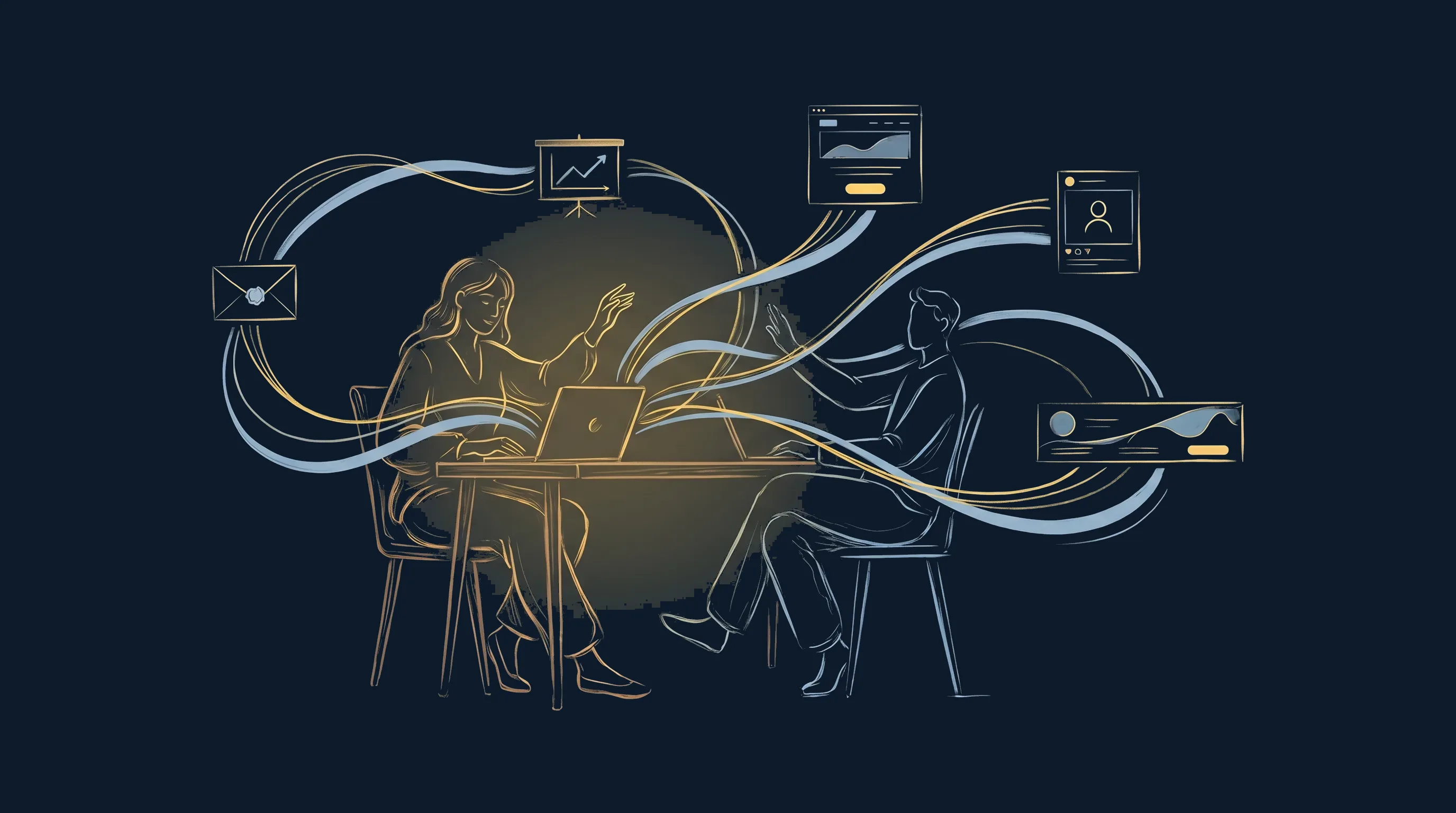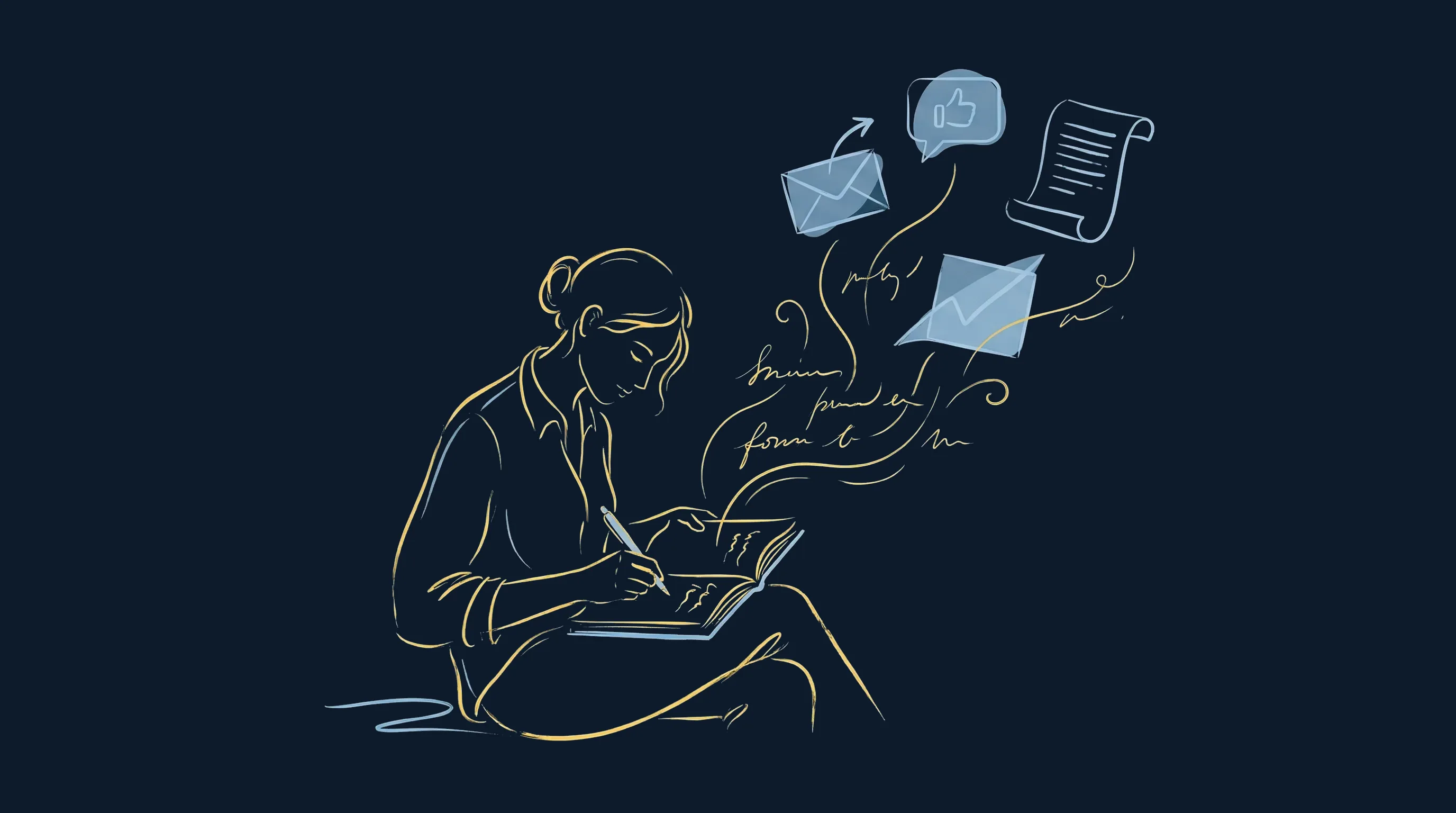

For Qiplim's presence at VivaTech 2026, the big tech show in Paris, I produced a short mascot video made entirely with AI. The pitch fits in one sentence: a yellow plush rides the Grand Éléphant des Machines de l'Île (the giant mechanical elephant of Nantes), the elephant grows until it can step over France in a single stride, and the mascot lands like a hero on the VivaTech ring in Paris. 15 seconds, vertical format, designed to fit in a single video prompt.
Every image went through Magnific and the video through Dreamina. I'm sharing my takeaways from this project, mistakes included, for anyone who wants to make AI visuals and videos without losing their patience or blowing their budget.
It all starts with a clear script
The first lesson is about method. Creating with AI requires all the discipline of a traditional video project, and then some. The faster the tool generates, the more a missing direction costs you in back-and-forth.
Everything starts with a script defined as precisely as possible. Without one, the results are always disappointing, for a simple reason: if I don't know exactly what I want, I can't judge whether I'm satisfied. I look at a render and it's pretty, but I can't tell whether it's good, because I have nothing to compare it to. The script, the shot breakdown, the format and the tone are all decided before the first generation.
AI speed amplifies vision when there is one and multiplies the noise when there isn't. A vague brief produces 100 average images. A sharp brief gets you the right one in a few tries.
Once the vision is set, you still have to bring it to life. That's where the real backbone of a consistent AI project comes in: visual references.
Anchoring the references: characters and places
For a character to stay identical from one image to the next, and then throughout a video, you have to anchor it. So I started with character design sheets of the Qiplim mascot, made with Nano Banana 2 (Google's image model) directly in Magnific. A turnaround sheet, an emotion sheet and an action sheet.
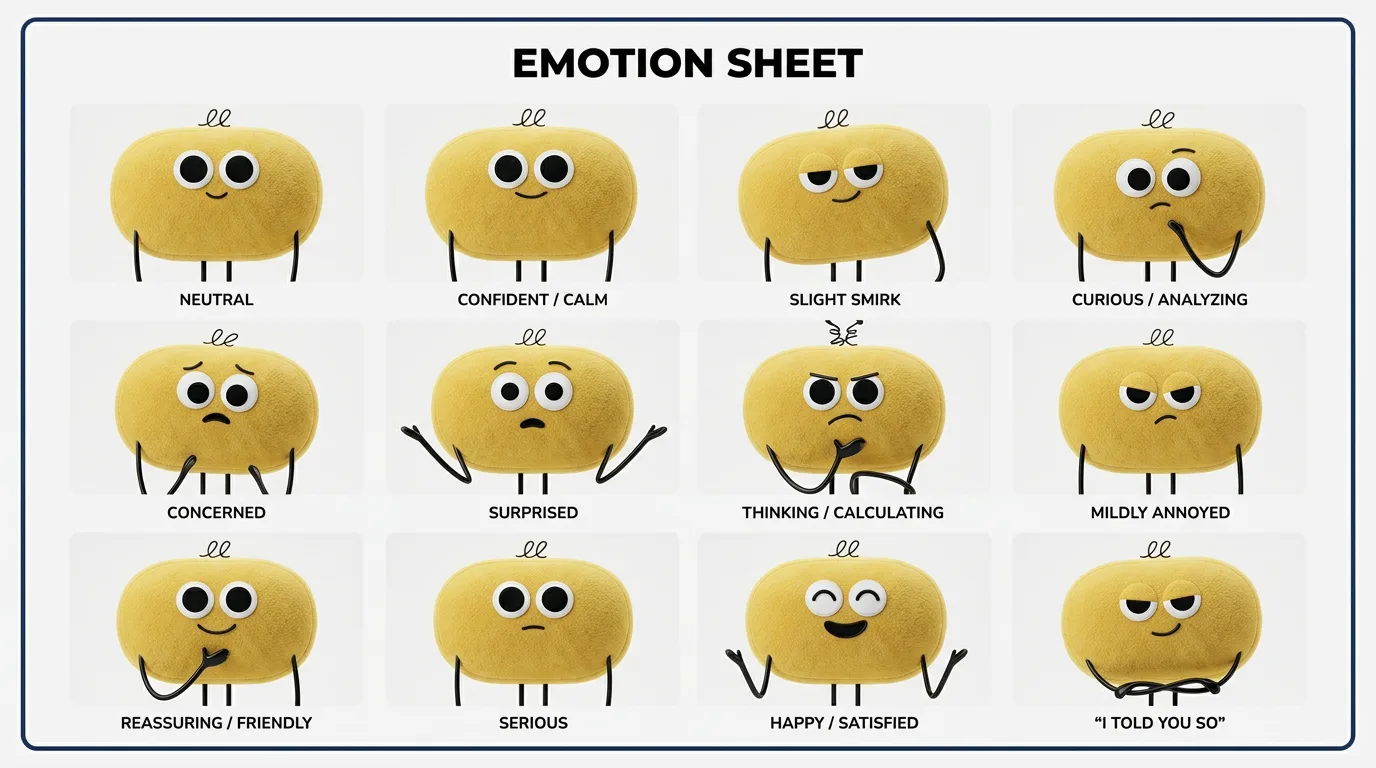
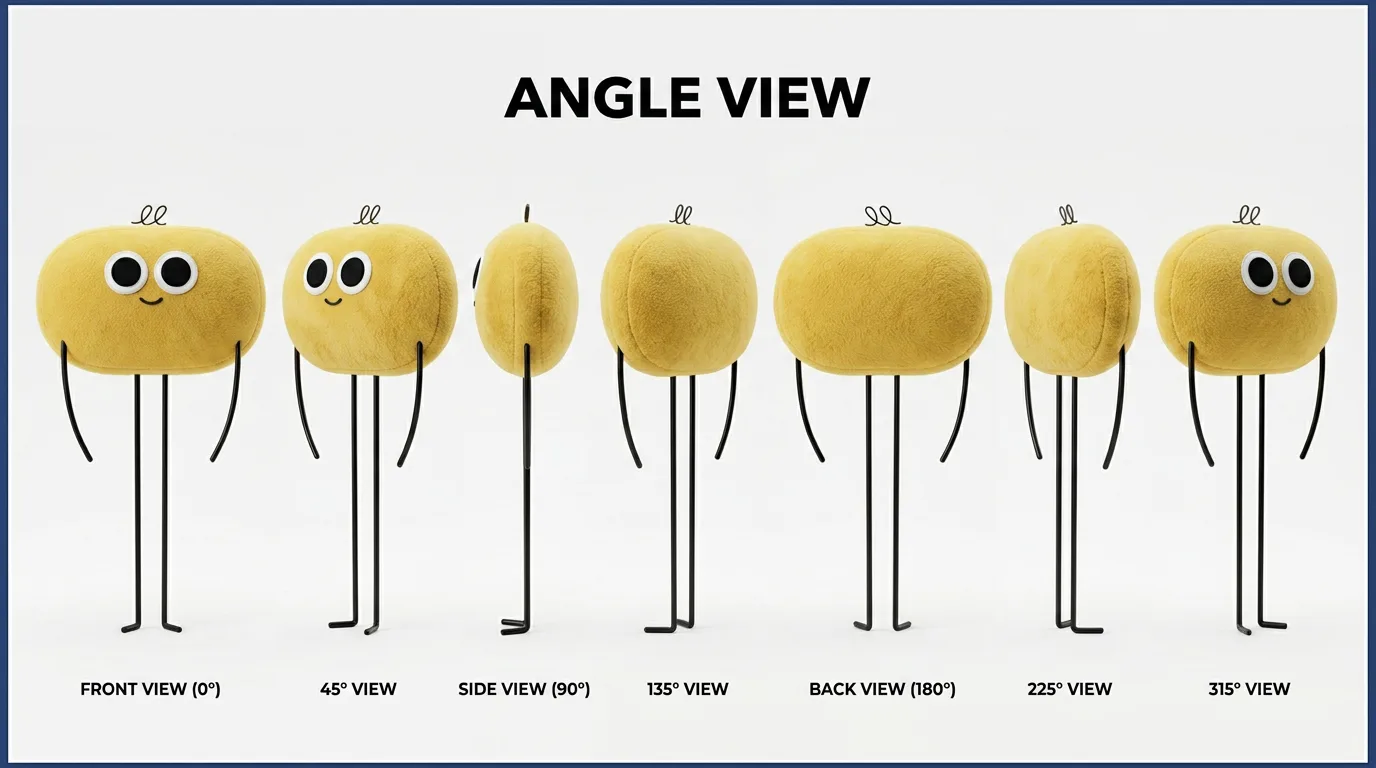
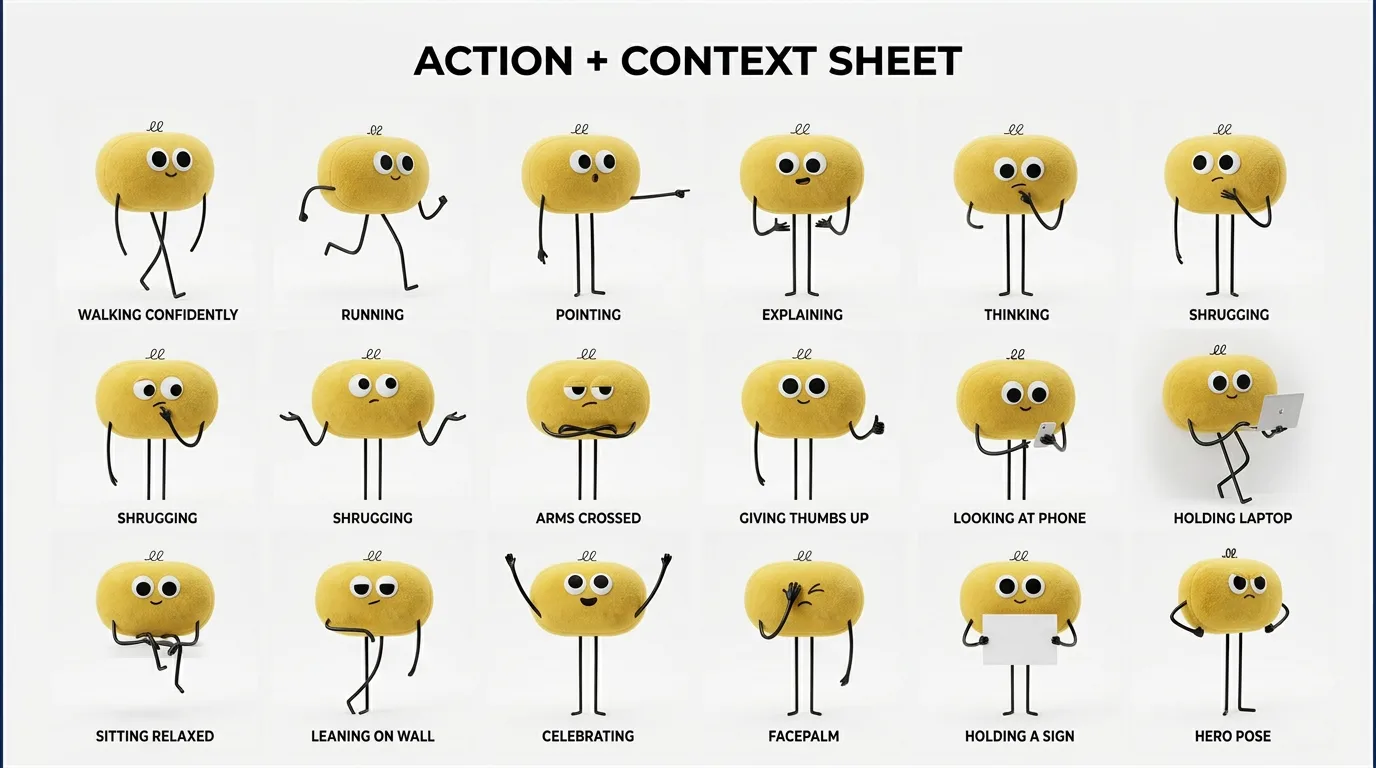
These sheets change everything. They then serve as the identity reference at every step: to generate new images, then for the video sequence. In practice, I give them to the video model and tell it explicitly to keep the mascot true to these sheets, everywhere. That's what stops the character from drifting from one shot to the next.
The anchor images: first and last frame
From these references, I generated the 2 key images of the video in Magnific: the first frame (the mascot above the Nantes elephant, in front of the Château des ducs de Bretagne, the city's castle, in a golden splash of water) and the last frame (the mascot shooting skyward above the VivaTech ring, Eiffel Tower in the background, golden hour). These 2 images become the start and end points the video model has to connect.
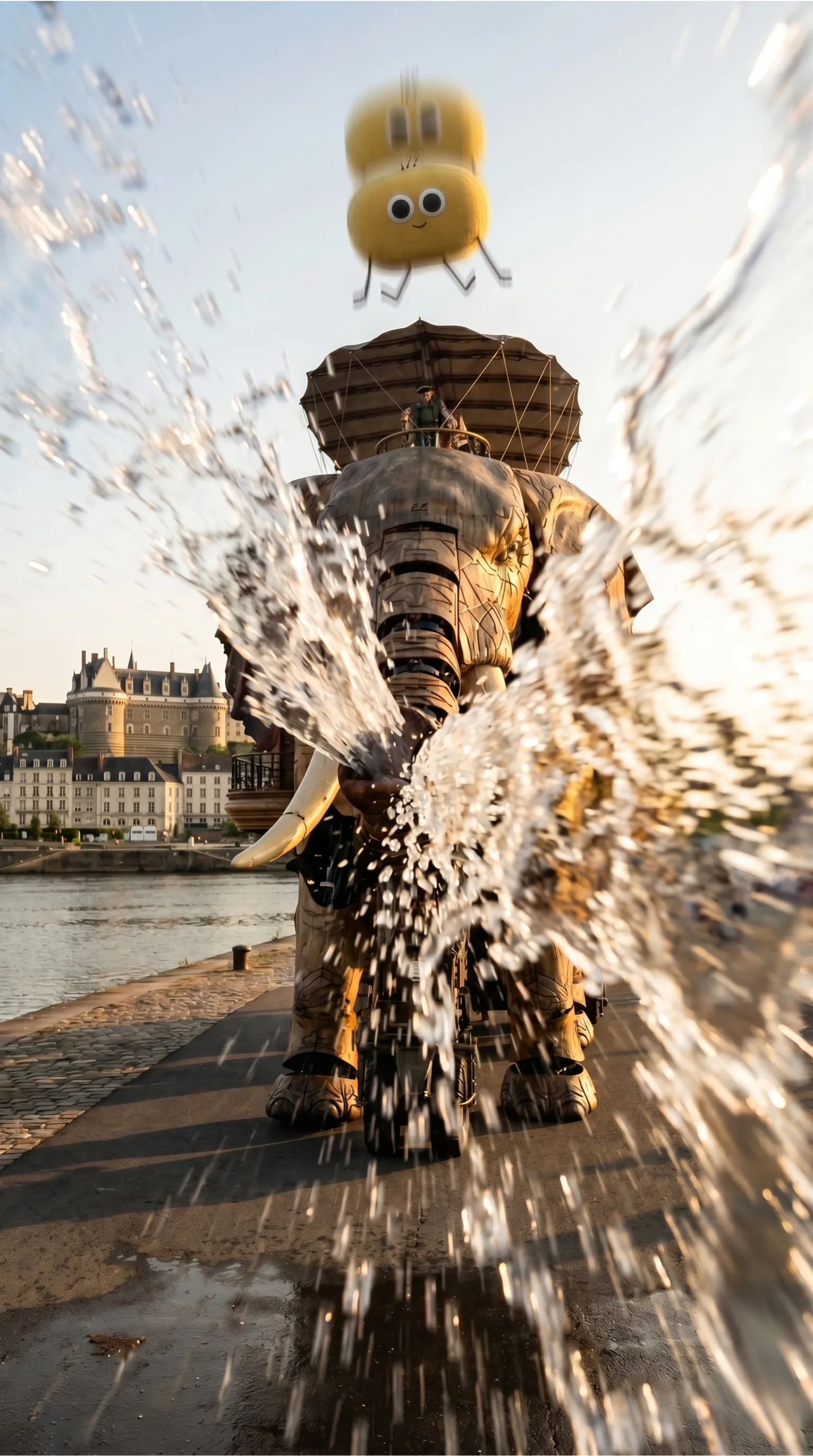
First frame in Nantes
The mascot above the Grand Éléphant des Machines de l'Île, mid-fall, golden hour, with a jet of water coming from the right. This image sets the starting scenery, the light and the direction of movement.
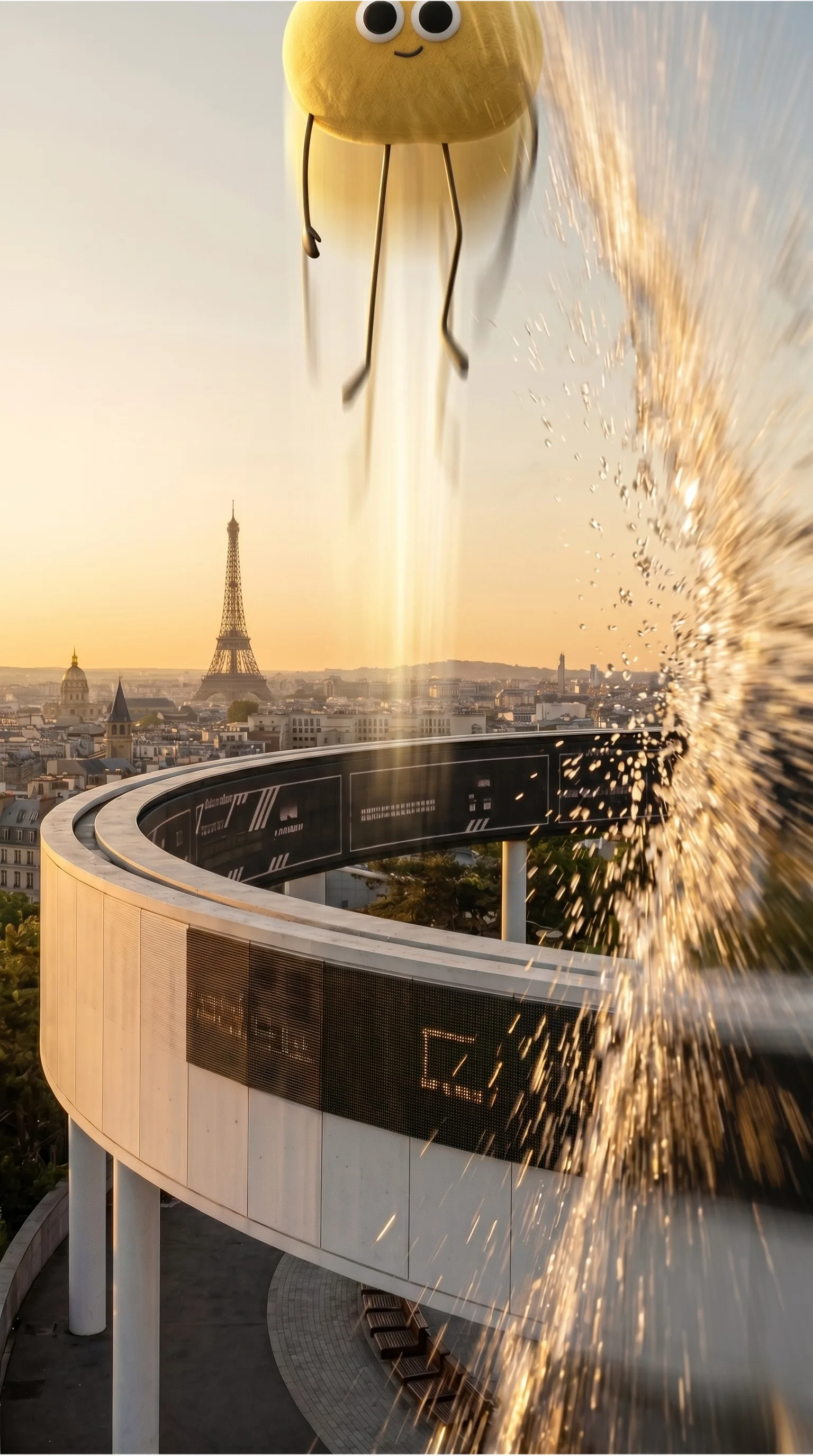
Last frame in Paris
The mascot leaps above the white ring of Paris Expo Porte de Versailles, with the Eiffel Tower in the background. Same golden light, same jet of water from the right: this match is what lets the video loop without editing.
I also added reference images for the elements the model doesn't know in detail: the Grand Éléphant des Machines de l'Île and an aerial view of the Île de Nantes, the island district on the Loire. The more precise a reference, the less the model improvises.
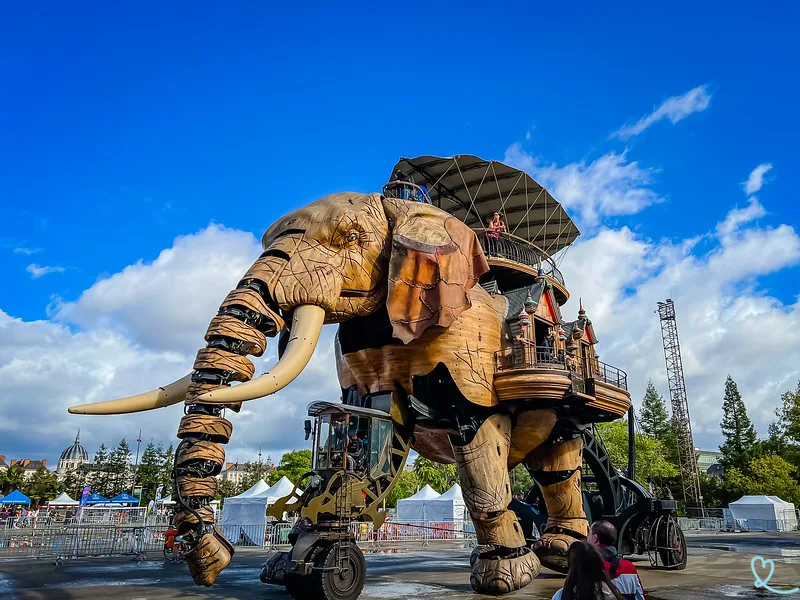
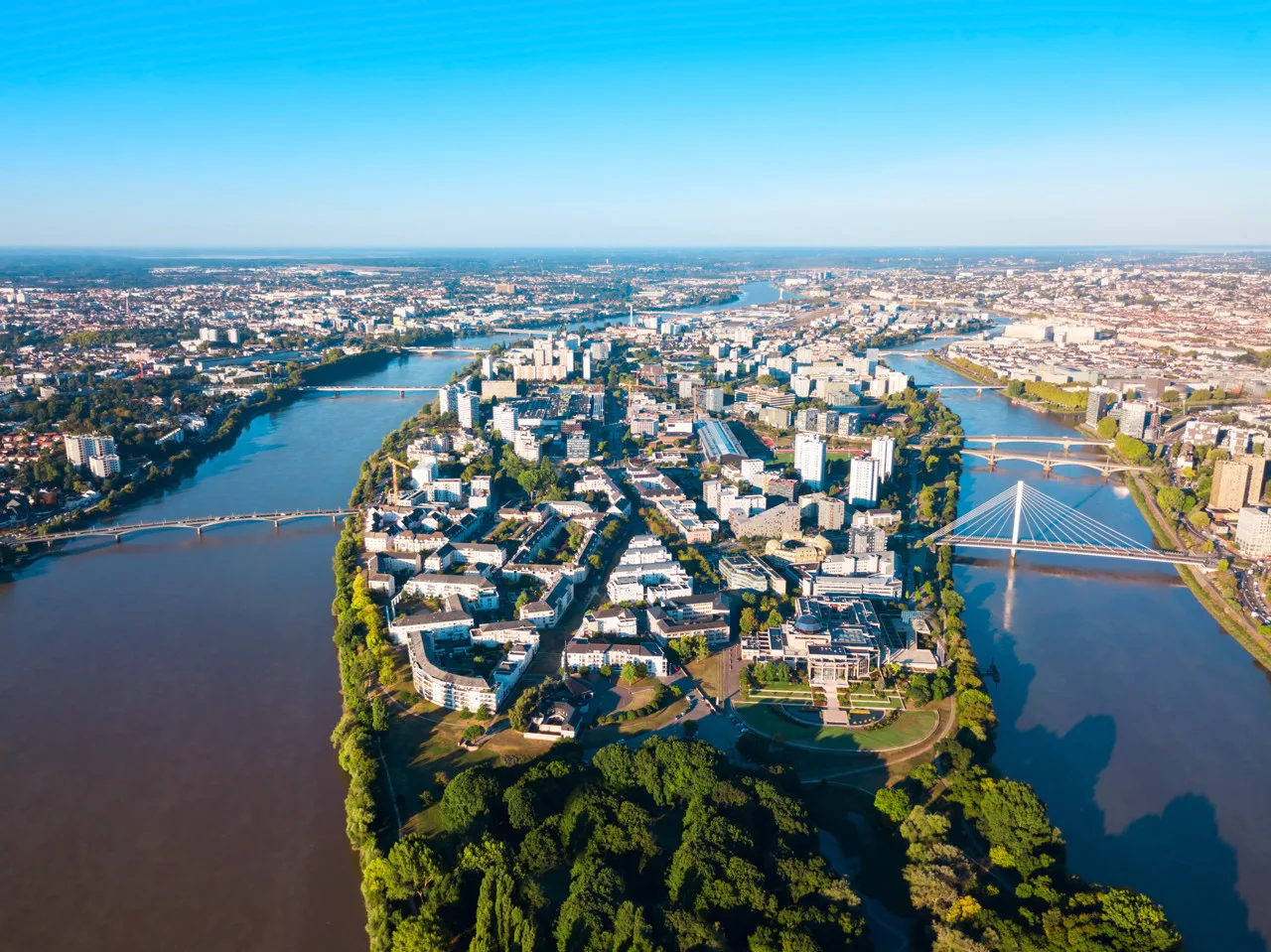
To do better, I should also have generated location reference sheets, as I did for the character. A sheet dedicated to Nantes would have made the city more realistic and more consistent from shot to shot. That's my main regret on this project: I locked down the character and left the sets loose.
Why Seedance 2
I needed to produce a consistent video quickly, from several reference images, without a heavy editing setup. Seedance 2 fits that brief exactly. 3 concrete reasons drove my choice.
Some context on the tool: Seedance 2 is ByteDance's video generation model, released in February 2026, and it can combine up to 12 multimodal inputs (text, images, video, audio) in a single generation (source: Comparateur IA, in French). This multi-input logic is what makes it a good tool for consistency.
First, the length in a single prompt. Seedance can go up to 15 seconds in one continuous take. For a complete narrative arc, from Nantes to Paris, that saves you from cutting it into 5 clips and stitching them together by hand.
Next, multiple references. I can provide several images at once and give each one a precise role: this one is the first frame, that one the last, these 3 define the character and this other one the environment. That's the key to consistency over a long sequence.
Finally, physical and camera consistency. Seedance 2 behaves like an assistant that understands the camera and the weight of objects. Well directed, it produces believable motion with real weight and momentum.
How to prompt Seedance effectively
This is the most counterintuitive part, and the one that saved me the most time once I understood it. Seedance 2 works like a camera-aware assistant, and telling it a story in the hope that it will interpret the scene gets you very little. You get results by assigning roles to images and describing motion, camera work and physics.
The reference system
Each image you provide gets a reference and an explicit role. And always state how each image should be used, one idea per line, without ever mixing several intentions in the same sentence.
@image1 = USE AS FIRST FRAME (Nantes, golden hour, splash...)
@image2 = USE AS LAST FRAME (Paris, VivaTech ring...)
@image3 / @image4 / @image5 = REFERENCE for character identity
@image6 = REFERENCE for the Elephant of Nantes
@image7 = REFERENCE for the Nantes environment
The distinction matters. “USE AS first / last frame” pins an exact frame, and the model interpolates between them. “REFERENCE for...” borrows a visual idea, an identity or a setting without forcing the frame. The trick that works best for a path from point A to point B: provide both frames and simply ask the model to show what happens in between.
Don't re-describe the source image
In image-to-video, the image already carries the identity. Re-describing every object in the frame dilutes the prompt and weakens prompt adherence. I focus only on what moves: motion, camera, constraints. Say what happens and let the image show what we see.
The prompt structure that works
Subject, action, environment, camera, style, constraints. In that order. The subject in detail (material, proportions, posture), the action in the present tense with intensity adverbs, the environment with its light, the camera with a named move, 2 or 3 style words, and stability constraints.
Describe forces as well as actions
To activate the physics engine, I describe weight, momentum and impact. “Lands with weight and a small bounce on impact” works far better than “lands”. That's what makes water, jumps and collisions believable.
The camera only moves when you name the move
Without instructions, Seedance stays frontal, level and static. That's the flaw I saw in my first version: too flat, too tame. For a cinematic result, I impose named moves (orbit, crane shot, dolly in, close-up, zoom out) and I vary the speed between segments. Rhythm is what makes the difference.
| Natural reflex | What works with Seedance |
|---|---|
| Describing a scene and a story | Assigning a role to each reference image |
| Re-describing everything you see | Describing only motion and camera |
| “It jumps, it falls” | “It jumps with momentum and lands with weight” |
| Leaving the camera on default | Naming a precise camera move |
| One 30-second clip | Clips of 5 to 10 seconds, 15 at most |
Keep clips short and test smart
Clips of 5 to 10 seconds hold consistency much more tightly than clips of 15 to 30. 15 seconds is a reasonable ceiling; beyond that, the character may drift. To save credits, I test in Seedance 2 Fast at 720p, refine the prompt, and only finalize in Seedance 2 Standard at 1080p once the timing is right. A short prompt with a clear move often beats a long one stuffed with instructions.
A word of honesty about the method. I'm presenting a single-prompt generation here, from start to finish. I could just as well have generated each short shot separately and then assembled them one by one in the edit, and that's what I recommend when consistency is critical. In fact, the video at the top of this article is an edit of 2 different generations, in which I interpolated some shots to get the result I liked best.
A detail that surprises people: the Seedance 2 prompt caps at 4,000 characters, spaces and line breaks included. In practice I aim for 3,500 to 3,900 to keep some margin. When I have to cut, I sacrifice style adjectives first, then image re-descriptions. The reference roles and camera instructions always stay: they carry the result.
Want the exact prompts?
I share the exact prompts used to generate this video, frames included. Get them by email.
Get the promptsWhat the stack costs: Magnific and Dreamina
Case studies often leave out the money. For this project, I paid for 2 subscriptions.
- A Magnific Premium+ subscription at €36 a month.
- An annual Dreamina subscription, which comes to €309 for the year.
The Magnific links in this article are affiliate links, at no extra cost to you.
Why Dreamina for the video
I picked Dreamina deliberately. Dreamina provides the Seedance API directly, at a lower price than elsewhere, simply because they develop the model (Dreamina, like Seedance, belongs to ByteDance). When a model's developer offers access itself, you avoid the middleman's markup. And Seedance's cost per second is already among the lowest on the market compared with Sora, Kling or Veo (source: Atlas Cloud). If you plan to generate a lot of video, that's where you get this model at the best cost for its quality.
| Tool | Role | Plan | Cost |
|---|---|---|---|
| Magnific | Images, tests, references | Premium+ monthly | €36 / month |
| Dreamina | Video (Seedance 2) | Annual | €309 / year |
The token budget video by video
On Dreamina, every generation costs tokens, and that's where method makes the difference. My advice: generate first in Seedance 2 Fast at 720p to iterate cheaply, at 180 tokens per try, until you reach a level you're happy with. Then switch to Seedance 2 Standard at 1080p for the final generation, at 225 tokens.
| Phase | Seedance 2 mode | Resolution | Cost |
|---|---|---|---|
| Iteration (2 tries) | Fast | 720p | 180 tokens per generation |
| Final generation | Standard | 1080p | 225 tokens |
| Total per video | 585 tokens |
I'm on the annual Standard plan, which gives me about 3,600 tokens a month. Counting 2 iterations in Fast and 1 final generation in Standard per concept, that's up to 6 videos of 15 seconds a month. Per unit, the theoretical cost is around €4 to €5 per 15-second video, design time excluded.
A word of caution before you upload anything. These tools are hosted outside the European Union and your images go through their servers. For a brand project or a public visual, that's fine. Personal data and confidential client visuals are another matter: check the data processing terms before you upload them. The rule applies to any data shared with an AI tool.
Magnific is the creative tool to master in 2026
My take, after this project and many others: Magnific is the creative tool you absolutely need in your skill set if you work in marketing and creative communications in 2026. It lets you create a huge number of visuals and videos and test ideas very quickly, with a real toolbox gathered in one place.
Magnific works like a full studio: you generate, compose and upscale there, and you get access to several models, including Nano Banana 2, which I used for the mascot sheets. For a marketing team, knowing how to handle this kind of tool has become a production skill, in the spirit of an AI-driven graphic design studio.
Image quality is already there. The real shift of 2026 is iteration speed. Testing 10 art directions in a single morning changes how you design a campaign. The rare skill now is knowing how to direct what you generate.
Conclusion
A consistent AI video comes from organization: a sharp script, locked references, and a well-chosen, well-directed model. Magnific for the images, Dreamina and Seedance 2 for the video, and a method borrowed from traditional video production. The technology has changed and the discipline stays the same.
My next step, and my advice if you want to go further: treat the sets the way I treated the character, with their own reference sheets. That's what will take the result from convincing to flawless.
Since then, I've pushed the approach further on a client video: regenerating camera angles from an existing take, then editing the whole film with Claude in Palmier Pro. That case study details the full pipeline, the 34,530 credits it cost and the check that stops a model from putting words in the filmed person's mouth.
Get the exact prompts for this video
I'll email you the exact prompts used on this project: the character sheets, the first and last frame, and the full Seedance 2 video prompt. Everything you need to reproduce the method on your own projects.
Your data will never be shared. Privacy policy
Sent
Check your inbox, the prompts are on their way. Look in your spam folder if you don't see anything.